


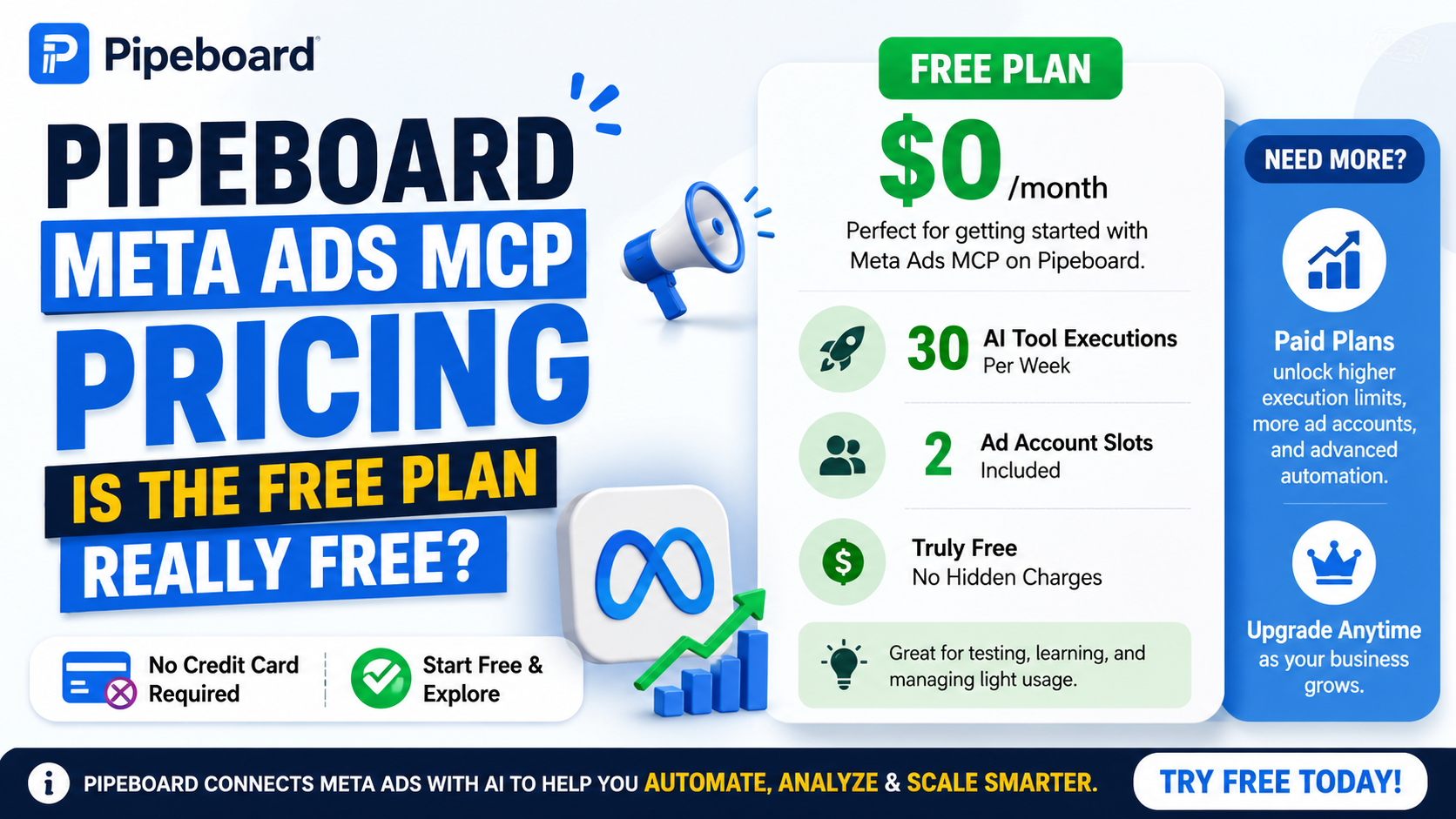
Pipeboard’s Meta Ads MCP is available on a $0/month free plan, but the free tier is limited. As of August 31, 2026, Pipeboard lists the Free plan with 30 AI tool executions per week and two ad-account slots. It does not require a credit card to start.
That distinction matters because the phrase “free Meta Ads MCP” can sound as though all of Pipeboard’s Meta advertising capabilities are unlimited. They are not. The free plan is best understood as an entry-level way to connect Meta Ads to an AI assistant, test the workflow, and handle relatively light usage. Heavier campaign management, higher-volume automation, and larger account portfolios require a paid plan.
For marketers searching specifically for pipeboard.co Meta Ads MCP pricing and a free plan, the most important details are the weekly usage limit, the number of ad accounts included, what counts as an execution, and how the paid tiers compare.
What Is Pipeboard’s Meta Ads MCP?
Pipeboard’s Meta Ads MCP is a Model Context Protocol server that connects an AI assistant to Meta advertising accounts. MCP is an open protocol designed to let AI applications discover and use external tools and data sources through a standardized interface. In simple terms, instead of asking an AI only to talk about your advertising data, an MCP integration can give it tools that retrieve campaign information and, where authorized, perform advertising operations.
Pipeboard provides a hosted Meta Ads MCP server, so most users do not have to build and operate their own server. Its documentation says the service can be used with Claude, ChatGPT, Cursor, n8n, and other MCP-compatible clients. The connection is made through Pipeboard’s hosted service and authenticated access to the user’s advertising account.
This is different from a conventional analytics dashboard. A dashboard primarily displays information. An MCP server exposes tools that an AI model can invoke, which means a user can ask questions such as which campaigns are underperforming and, depending on permissions and the operation, have the assistant retrieve data or prepare changes through the advertising API. The MCP specification describes these tools as executable functions that let language models interact with external systems.
Pipeboard Meta Ads MCP Pricing in 2026
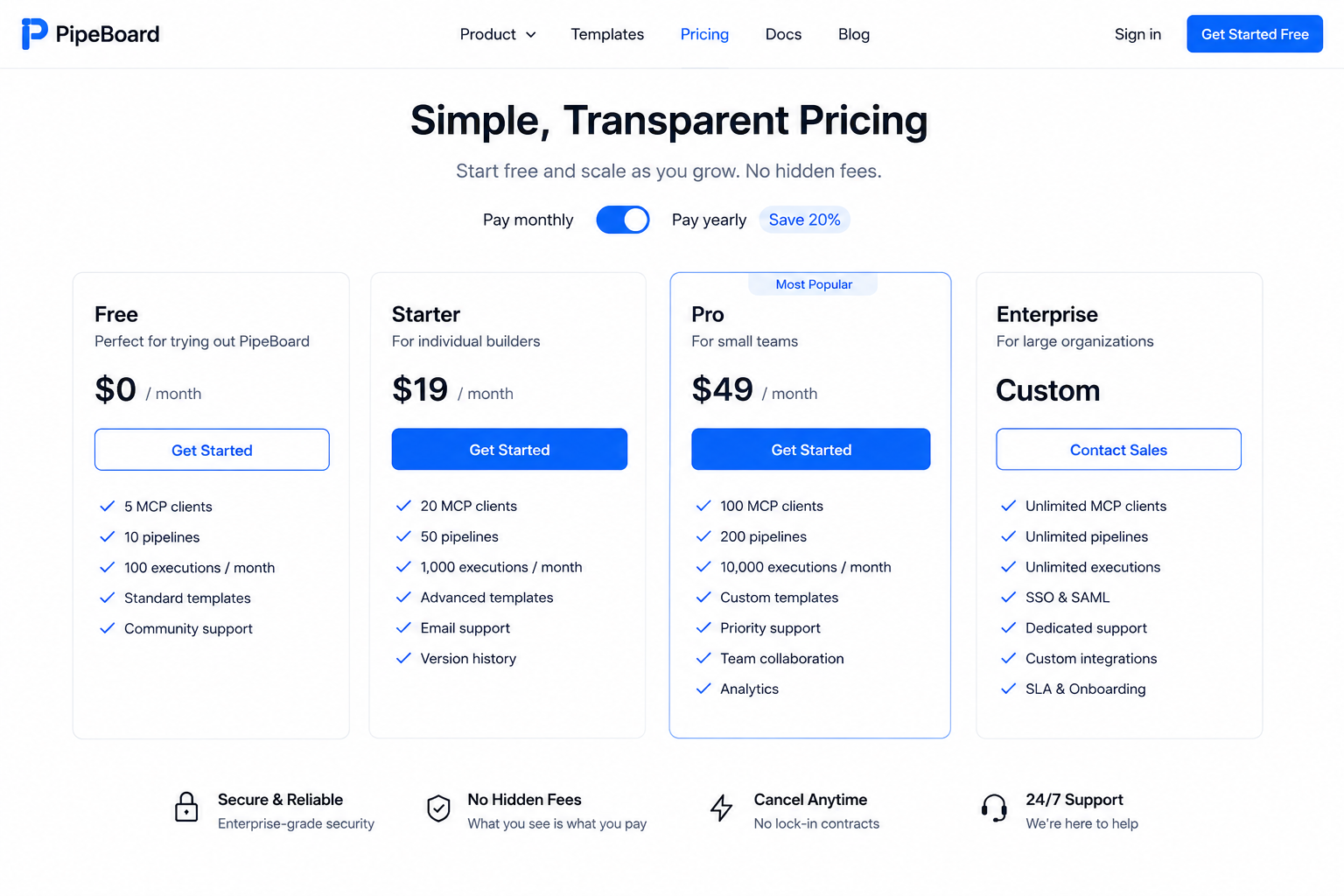
Pipeboard’s current pricing page lists four regular subscription levels plus a separate Secure Enterprise offering. For someone specifically evaluating the free Meta Ads MCP plan, the comparison is straightforward.
| Plan | Monthly price | AI tool executions | Ad-account slots | Main positioning |
|---|---|---|---|---|
| Free | $0 | 30/week | 2 | Testing and small-scale use |
| Pro | $29.90/month | Unlimited | 3 | Marketers and growing businesses |
| Premium | $99/month | Unlimited | 10 | Teams with multiple accounts |
| Agency | $199/month | Unlimited | 25 | Agencies managing client accounts |
| Secure Enterprise | Custom | Unlimited | Custom | Procurement, security and enterprise requirements |
Pipeboard states that paid plans can add additional ad-account slots for $10 per month per slot. The pricing page also says monthly Pro and Premium plans have a 7-day free trial, while annual billing costs the equivalent of ten monthly payments and therefore represents about a 17% discount compared with paying monthly.
The Free Plan Costs $0 — but It Has a Real Usage Limit
The most important limitation is the 30 AI tool executions per week.
Pipeboard defines an execution broadly: an AI assistant command counts as one execution. Its pricing FAQ specifically says this includes activities such as viewing campaigns, creating ads, analyzing performance, duplicating campaigns, and adjusting budgets.
That means “30 executions” should not be interpreted as 30 complete campaigns or 30 conversations. A single workflow can require multiple tool calls.
For example, an AI request to:
“Compare my campaigns from the last seven days, identify campaigns with high CPA, pause them, and report what you changed.”
could involve several underlying tool operations. The exact number depends on what the AI needs to retrieve and change, so users should think of the free quota as 30 tool calls, not 30 end-to-end tasks.
This makes the free plan much more suitable for testing and occasional management than for a busy advertiser who wants an AI assistant continuously monitoring and editing campaigns.
How Many Meta Ad Accounts Can You Connect for Free?
The Free plan includes two ad-account slots. Pipeboard defines a slot as one ad account that the AI assistant can act on.
That is an important distinction for agencies and marketers with multiple Business Manager environments. The account-slot limit is separate from the weekly execution limit.
A user with two ad accounts could therefore use the free plan for those accounts, but still be constrained by the 30-execution weekly quota.
On Free and Pro, the slots belong to the individual account. On Premium and Agency, Pipeboard says the slots are shared across the team.
What Do You Get on Pipeboard’s Free Meta Ads MCP Plan?
The current pricing table shows the Free tier includes the basic Meta Ads MCP experience, including access to features such as campaign duplication, ad-set and ad duplication, carousel ads, bulk operations, batch creative uploads, and API access, subject to the plan’s limits.
The table lists batch creative upload at 10 items per batch on the Free plan. Higher tiers increase this to 100 items per batch.
The free plan is therefore not merely a read-only analytics demonstration. Pipeboard describes its Meta MCP as supporting campaign management, creative operations, budget changes, targeting changes, duplication, and other advertising workflows. Its source repository also documents explicit confirmation around write operations.
However, a capability being available in the product does not mean the free tier removes every limit. Usage volume and account capacity remain the main constraints.
How Pipeboard Meta Ads MCP Works
The easiest way to understand the architecture is to think of it as a bridge:
You → AI assistant → Pipeboard MCP → Meta advertising API → Your ad account
The AI assistant does not magically know what is happening inside Ads Manager. Instead, the MCP server exposes structured tools. The model can discover those tools and invoke them when a request requires external data or an action. That is the basic pattern defined by MCP.
Pipeboard handles the connection layer and authentication, while Meta remains the platform where the advertising data and campaign operations ultimately live.
This matters because the AI is not replacing Meta’s advertising infrastructure. It is providing a conversational interface on top of it.
For example, instead of manually opening several Ads Manager screens to check spend, CPA, clicks, campaign status, and creatives, a user can ask an AI assistant for a particular analysis. The MCP server provides the tools necessary to retrieve the underlying information.
For write operations, Pipeboard says changes require explicit confirmation, and newly created campaigns are started in a paused state by default where that behavior is supported.
That design is particularly important for advertising because an accidental change can have a direct financial consequence.
What Counts as an MCP Execution?
This is probably the most important question for anyone considering the free tier.
Pipeboard says an AI tool execution is counted each time the AI assistant executes a command. Its examples include reading campaign data, analyzing performance, creating ads, duplicating campaigns, and changing budgets.
Imagine you ask an assistant to identify your highest-spending campaigns. It might need to call a tool to obtain the campaigns and another operation to obtain or process relevant performance information. A more complicated request involving multiple campaigns, creatives, audiences, and changes can require significantly more tool calls.
Therefore, users who make many small requests throughout the week can reach the free limit much faster than users who consolidate work into a few larger workflows.
This is one reason “30 executions per week” is not equivalent to “30 AI questions per week.”
Is Pipeboard Meta Ads MCP Actually Free?
Yes. Pipeboard currently advertises a Free plan priced at $0/month, with no credit card required to start. The company’s Meta Ads guide explicitly describes the Meta Ads MCP as available on the free plan.
But “free” does not mean unlimited.
The free offering has at least two meaningful product limits:
30 AI tool executions per week
Two ad-account slots
When those constraints become too restrictive, the next standard tier is Pro at $29.90 per month, with unlimited AI tool executions and three account slots.
So the accurate description is: Pipeboard offers a genuinely free Meta Ads MCP tier, but it is a limited free tier rather than unlimited free access.
What Does Pipeboard Pro Add?
For $29.90 per month, Pipeboard’s Pro tier increases the AI tool allowance from 30 weekly executions to unlimited and increases the included account capacity from two to three ad-account slots.
The Pro plan is positioned for marketers and growing businesses rather than agencies. Pipeboard also allows paid users to add more account slots at $10 per month each.
For an individual advertiser, the choice between Free and Pro therefore comes down largely to usage volume and account count.
Someone experimenting with AI-powered campaign analysis may have little reason to pay.
Someone using the assistant repeatedly throughout the week can quickly find the 30-execution ceiling restrictive.
When Does Premium Make Sense?
The Premium plan costs $99 per month and includes 10 ad-account slots, unlimited AI tool executions, batch creative uploads of up to 100 per batch, team accounts for up to five people, and email plus chat support.
This tier is much more relevant to teams than to a single advertiser.
The practical difference is not simply more AI usage. It is the ability to manage a larger collection of ad accounts while sharing account capacity across a team.
For marketers responsible for several brands, business units, or advertising properties, that can be more important than the raw number of AI commands.
What Is Agency Pricing?
Pipeboard’s Agency plan is $199 per month and includes 25 ad-account slots, unlimited AI tool executions, unlimited team accounts, and priority support. Additional slots are also available at $10 per month each.
This tier is aimed directly at agencies managing clients’ advertising accounts.
There is also a Secure Enterprise tier with custom pricing for organizations that need requirements such as SAML 2.0 SSO, security documentation, custom agreements, invoicing terms, procurement support, and access to security evidence.
Pipeboard Meta Ads MCP vs. Meta’s Own MCP
An important source of confusion is that Pipeboard is not the same thing as Meta’s own MCP offering.
Pipeboard describes its service as an alternative to Meta’s first-party connector. It says its own service uses the standard Meta Marketing API and provides a broader workflow layer around advertising operations, while Meta’s first-party MCP is limited by Meta’s own access and rollout conditions.
That distinction is especially relevant because Meta’s connector availability has changed as its MCP offering has rolled out.
Pipeboard says its Meta Ads MCP is designed to work across more AI clients and supports operational capabilities such as bulk editing, duplication, creative uploads, and campaign management, rather than focusing only on reporting.
For readers comparing the two, the key question is therefore not simply “Which one is free?” Both approaches can be free in certain circumstances. The more meaningful question is which access model and feature set fits the workflow you actually need.
Can You Use the Free Pipeboard MCP with ChatGPT?
This requires an important qualification.
Pipeboard’s documentation lists ChatGPT among supported MCP-compatible clients and provides instructions for connecting through ChatGPT’s developer-mode/custom MCP functionality.
However, ChatGPT’s own current documentation places important limits on MCP functionality by plan. OpenAI says full MCP support, including write/modify actions, is available to Business and Enterprise/Edu customers, while Pro users can connect MCPs with read/fetch permissions in developer mode. OpenAI also emphasizes that custom MCP connectors should be vetted carefully because connecting an untrusted server can increase security risks, including prompt injection.
So the accurate answer is not simply “yes, every ChatGPT user can use every Pipeboard function for free.”
Pipeboard’s service can be free while the AI client used to access it may have its own plan, feature, or permission requirements.
That distinction is easy to overlook when comparing MCP pricing.
Does Pipeboard Require a Developer Token?
For the hosted workflow, Pipeboard says users can connect their Meta advertising account through its authentication process rather than having to build their own developer integration.
Its Meta Ads guide presents a hosted connection using the Pipeboard service URL and authentication through the Pipeboard session.
For technically advanced users, Pipeboard also makes the Meta Ads MCP source available on GitHub and documents local deployment options.
That creates two fundamentally different approaches:
Hosted MCP: simpler setup, Pipeboard manages the service infrastructure.
Self-hosted MCP: more technical control, but the user becomes responsible for infrastructure, credentials, maintenance, and security.
For most marketers, the hosted version is the simpler option.
Is the Pipeboard Meta Ads MCP Open Source?
Pipeboard describes its Meta Ads MCP as source-available, and the public GitHub repository contains the server code and documentation.
That is useful for technical users who want to inspect implementation details or understand how the integration works.
However, source-available should not automatically be treated as synonymous with a fully open-source service under every interpretation of the term. The hosted Pipeboard product and the public repository are related, but pricing, hosting, authentication, and commercial service terms are still governed by Pipeboard’s own product offering.
For a business evaluating the service, reviewing the actual repository license and current commercial terms is more reliable than assuming that every hosted feature is unrestricted simply because code is publicly available.
How Safe Is It to Give an AI Access to Meta Ads?
This is where the pricing question intersects with security.
MCP can give an AI model access to external tools. The official MCP specification recommends a human in the loop for tool invocations, particularly where an operation can have meaningful consequences.
Pipeboard says it uses OAuth authentication, does not store the user’s login credentials, and encrypts data in transit and at rest. Its privacy policy states that authentication tokens are stored encrypted and that the service does not collect users’ Meta passwords.
Pipeboard also says Meta campaign changes require explicit confirmation and that new campaigns are created paused by default where applicable.
Those controls reduce operational risk, but they do not eliminate it.
Any service that connects an AI system to advertising accounts should be evaluated for permissions, account scope, data handling, authentication security, and the consequences of incorrect tool calls. OpenAI likewise warns that third-party MCP servers can introduce security risks such as prompt injection and places responsibility on organizations to vet connectors before deployment.
The safest approach is to give an AI system no more permission than it needs and to review write actions before they affect live advertising.
What Can You Actually Ask Pipeboard to Do?
Pipeboard’s Meta Ads MCP is designed around practical advertising operations rather than generic chat.
Examples of useful workflows include:
Performance analysis: ask which campaigns are spending heavily without producing acceptable results.
Budget management: identify campaigns that fit a specified budget rule and prepare or apply changes.
Campaign duplication: duplicate an existing campaign or ad set when creating a variation.
Creative operations: work with ad copy and creative assets.
Bulk management: perform actions across multiple campaigns, ad sets, or ads instead of repeating the same manual steps in Ads Manager.
Pipeboard documents bulk operations and duplication as part of its Meta Ads MCP feature set.
The important concept is that AI is acting as the conversational control layer. Meta remains the underlying advertising system.
What Are the Main Advantages of the Free Plan?
The free plan is particularly attractive for users who want to experiment before committing to a subscription.
The biggest advantage is obvious: the service costs nothing to start. Pipeboard says no credit card is required, while the free tier still provides access to the Meta Ads MCP rather than forcing users immediately into a paid package.
The second advantage is that two account slots are enough for many individual advertisers and small businesses.
The third is that the product exposes actual campaign-management functionality rather than limiting the free experience to a marketing demo.
For someone learning how AI agents and MCP can interact with paid advertising, 30 weekly executions can be enough to understand whether the workflow is useful before spending money.
What Are the Main Disadvantages?
The biggest weakness is the 30-execution weekly ceiling.
That limit is easy to underestimate because normal AI interactions can involve several tool calls behind the scenes. A user who relies heavily on performance analysis and repeated campaign operations could run into the limit sooner than expected.
The second limitation is the two-account cap.
The third is that the free plan does not provide the same higher-tier collaboration and expanded capacity features available on Premium and Agency. The pricing table shows several advanced controls and team features become available at higher tiers.
Finally, Pipeboard’s price is only one part of the total cost. Users may also need to consider the subscription or feature requirements of the AI client itself, such as ChatGPT or Claude. That is especially important when the desired workflow involves write actions rather than simple read-only analysis.
Who Should Use the Free Pipeboard Meta Ads MCP Plan?
The Free plan is a strong fit for:
Individual advertisers managing one or two Meta ad accounts.
Small businesses experimenting with AI-assisted campaign management.
Developers and technical users evaluating MCP before building a larger workflow.
Marketers who mainly need occasional analysis rather than constant automation.
Users comparing Meta Ads AI tools who want to test the experience without paying upfront.
It is less suitable for agencies with many clients, teams executing large numbers of operations, or advertisers expecting near-continuous AI-driven campaign monitoring.
Who Should Upgrade to Pro?
The Pro plan at $29.90/month becomes more attractive when the 30-execution limit becomes the main bottleneck.
If you use the system frequently for reporting, analysis, campaign changes, creative operations, or duplication, unlimited executions can be substantially more useful than a modest increase in account capacity alone. Pro also raises the included account slots from two to three.
In other words, the best reason to upgrade is not simply that Pro has “more features.” It is that frequent AI interaction makes the free quota the first practical constraint.
Is Pipeboard’s Free Plan Good for Agencies?
Usually, no.
Two account slots and 30 weekly executions are unlikely to be an efficient long-term fit for an agency managing several clients. Pipeboard specifically positions Premium and Agency for multi-account and agency use, with 10 and 25 slots respectively, both with unlimited AI tool executions.
An agency testing the platform can still use the free plan as an evaluation environment, but the commercial economics change once multiple client accounts and frequent operations enter the picture.
Pipeboard Meta Ads MCP Pricing: What Should You Watch?
Pricing pages can change, particularly for rapidly developing AI products. Pipeboard’s current page is dated in terms of its active pricing presentation and shows the Free, Pro, Premium, Agency, and Secure Enterprise structure currently available. It also states that plan names were recently changed, with Enterprise renamed to Agency and Secure Enterprise introduced as a separate tier.
That means older articles may contain different plan names or pricing.
For anyone researching “Pipeboard Meta Ads MCP pricing free plan,” the safest figure to use right now is the current official pricing:
Free: $0/month, 30 executions/week, 2 ad-account slots
Pro: $29.90/month, unlimited executions, 3 slots
Premium: $99/month, unlimited executions, 10 slots
Agency: $199/month, unlimited executions, 25 slots
Secure Enterprise: custom pricing
Frequently Asked Questions
Is Pipeboard Meta Ads MCP free?
Yes. Pipeboard currently offers a $0/month Free plan for its Meta Ads MCP. The free tier includes 30 AI tool executions per week and two ad-account slots and does not require a credit card to start.
How much does Pipeboard Pro cost?
Pipeboard Pro currently costs $29.90 per month on monthly billing. It includes unlimited weekly AI tool executions and three ad-account slots.
How many Meta ad accounts can I use on the free plan?
The Free plan includes two ad-account slots.
What does one Pipeboard AI execution mean?
Pipeboard says each AI tool command counts as one execution. Examples include viewing campaigns, analyzing performance, creating ads, duplicating campaigns, and adjusting budgets.
Does Pipeboard work with ChatGPT?
Pipeboard lists ChatGPT as a supported MCP client. However, the actual MCP capabilities available depend on the ChatGPT plan and configuration. OpenAI currently states that full MCP support with write/modify actions is available to Business and Enterprise/Edu customers, while Pro users have more limited read/fetch MCP access.
Does Pipeboard work with Claude?
Yes. Pipeboard’s Meta Ads MCP documentation lists Claude among supported clients, including Claude Pro/Max and Claude Code.
Does the free Pipeboard plan include campaign-management features?
Pipeboard’s current pricing and product documentation show campaign duplication, ad-set and ad duplication, bulk operations, creative workflows, and other Meta Ads management capabilities. The free tier remains subject to its 30-execution weekly limit and two-account capacity.
Does Pipeboard store my Meta password?
Pipeboard’s privacy policy says it does not collect or store your Meta/Facebook password. It uses OAuth credentials and states that relevant authentication tokens are stored encrypted.
Can I self-host the Meta Ads MCP?
Yes. Pipeboard publishes the Meta Ads MCP repository and documents local deployment for technical users. The hosted remote MCP is the simpler option, while self-hosting requires more technical responsibility.
Bottom Line
Pipeboard’s Meta Ads MCP does have a genuine free plan in 2026. The important catch is that the free plan is deliberately limited to 30 AI tool executions per week and two ad-account slots. For an individual advertiser or someone experimenting with AI-powered Meta Ads management, that can be enough to evaluate the technology without paying anything.
Once usage becomes frequent, Pro at $29.90/month is the natural next step because the biggest restriction disappears: weekly AI tool executions become unlimited. Larger teams and agencies have Premium and Agency tiers with substantially more account capacity.
The bigger issue is not simply whether Pipeboard is free. It is what “free” means in the complete workflow. Pipeboard may charge $0 for its MCP connection, but the AI client, permissions, and account requirements can still affect what a user is able to do. OpenAI’s current MCP documentation, for example, places separate limits around read and write access depending on the ChatGPT plan.
For readers specifically searching “pipeboard.co Meta Ads MCP pricing free plan,” the clearest conclusion is therefore: yes, Pipeboard is free to start, but the free tier is designed for limited usage, not unlimited AI-powered Meta advertising automation.
Also Read: Trials in Tainted Space Save Editor | How to Edit TiTS Saves Safely

1 Comment
Pingback: Daisy Seed JSON File for plugdata | Custom Hardware Mapping Explained