


If you are searching for an “Trials in Tainted Space save editor”, the most important thing to know is that the editor depends on which version of TiTS your save belongs to.
The old TiTsEd program was designed for the game’s legacy Flash/Adobe AIR version and does not support the modern JavaScript version. For current JavaScript-based TiTS saves, the most directly relevant tool is the community TiTS.JS Save Editor, which can load a save exported from the game, let you modify supported data, and then export the edited save for loading back into TiTS.
That distinction matters because using the wrong editor can lead to a file that the game cannot read. The TiTS community’s own save-editing documentation also warns that editing can produce bugs or even corrupt a save, so making an untouched backup before changing anything is essential.
What Is the Trials in Tainted Space Save Editor?
A save editor is a tool that changes information stored in a game’s save data without requiring you to obtain that information through normal gameplay.
In Trials in Tainted Space, that can mean changing supported character or game-state values rather than starting from scratch or replaying large portions of the game.
There are actually several tools associated with the name “TiTS save editor,” and they should not be treated as interchangeable. The current JavaScript save editor describes itself specifically as a tool for the JavaScript version of TiTS, while the older TiTsEd repository identifies itself as an editor for the Flash engine version and explicitly says it does not support JavaScript saves.
That makes version compatibility the first question to answer before editing anything.
Which TiTS Save Editor Should You Use?
The easiest way to understand the available tools is to separate them by the game’s technology.
| Tool | Intended TiTS version | How it works | Current relevance |
|---|---|---|---|
| TiTS.JS Save Editor by start-5 | JavaScript version | Imports and exports save files | Most relevant for JS saves |
| TiTsEd by algoRhythm99 | Legacy Flash/Adobe AIR version | Desktop save editor | Legacy only |
| TiTsEdJS by Chase-san | JavaScript-era game | Runs in the game runtime and changes game-state variables | Different from a normal file editor |
| .minerva | Legacy .sol saves | Local Shared Object editor | Primarily legacy Flash workflows |
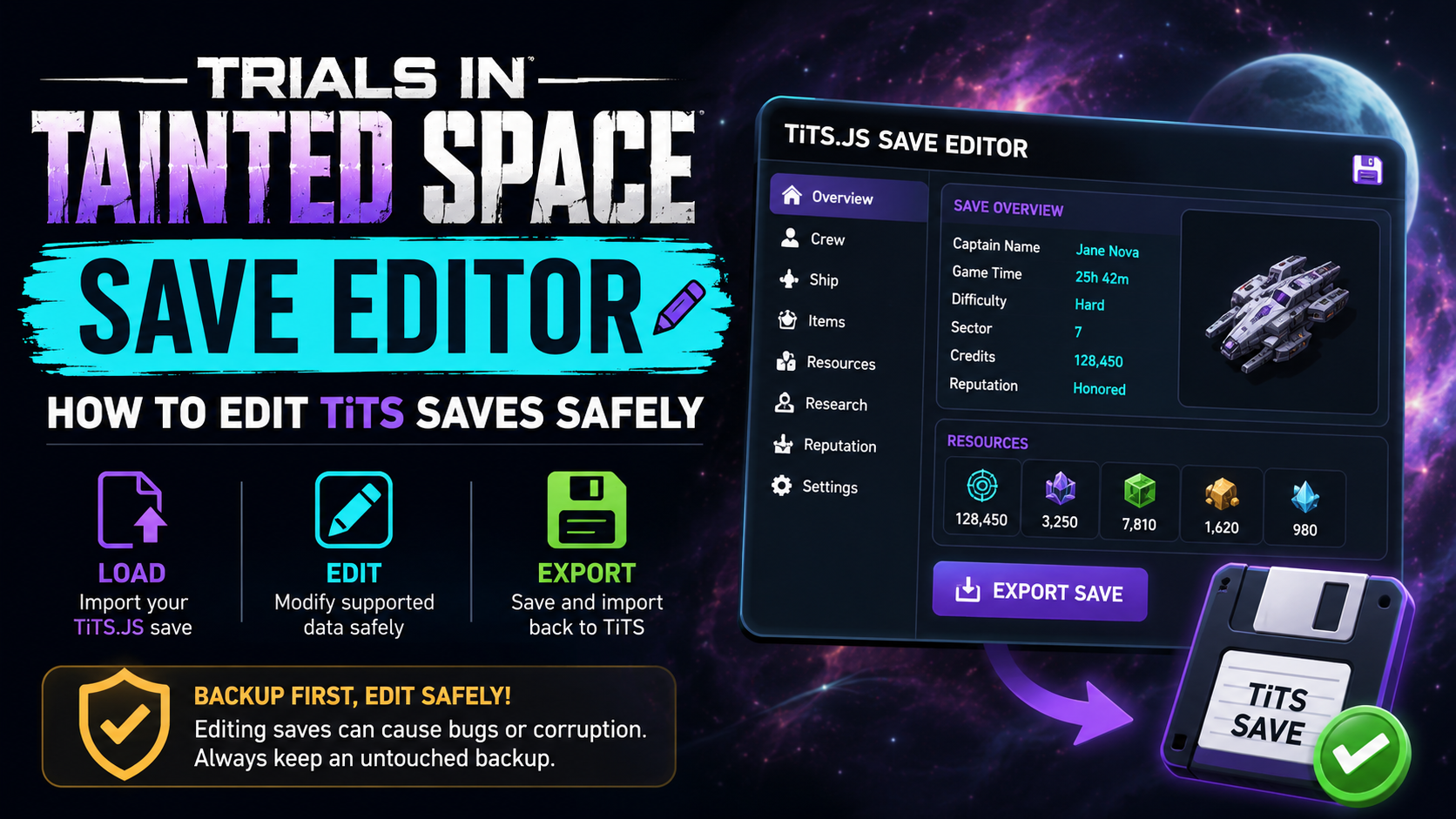
The start-5 editor provides a straightforward file workflow: Save to File → Load File → edit → Save File → Load from File.
By comparison, Chase-san’s TiTsEdJS is important to understand because its own documentation says that it is not actually a conventional save editor. It runs inside the game’s JavaScript environment and changes game-state values in real time.
The Modern TiTS Save-Editing Workflow
For a JavaScript TiTS save, the process is relatively simple.
1. Create a fresh backup
Before editing, create an untouched copy of your save.
This is more than a precaution. The editor’s documentation explicitly warns that an edited save can suffer anything from ordinary bugs to irreversible corruption. The game’s community documentation similarly recommends preserving the original unaltered file before making changes.
A good practice is to keep one file that you never edit and perform all experiments on a duplicate.
2. Use TiTS’s file-saving function
For the JavaScript save editor maintained by start-5, the documented workflow begins by using the game’s “Save to File” option.
That produces a file containing the save data that the external editor can process. The editor’s instructions specifically tell users to use Save to File, rather than trying to manipulate an internal browser-storage entry manually.
3. Load the save into the editor
Open the JavaScript TiTS save editor and choose “Load File.”
The project also supports dragging the save file onto the editor.
At this point, the program interprets the save structure and presents the supported data through its interface rather than forcing you to manually decode the file.
4. Make only the changes you actually need
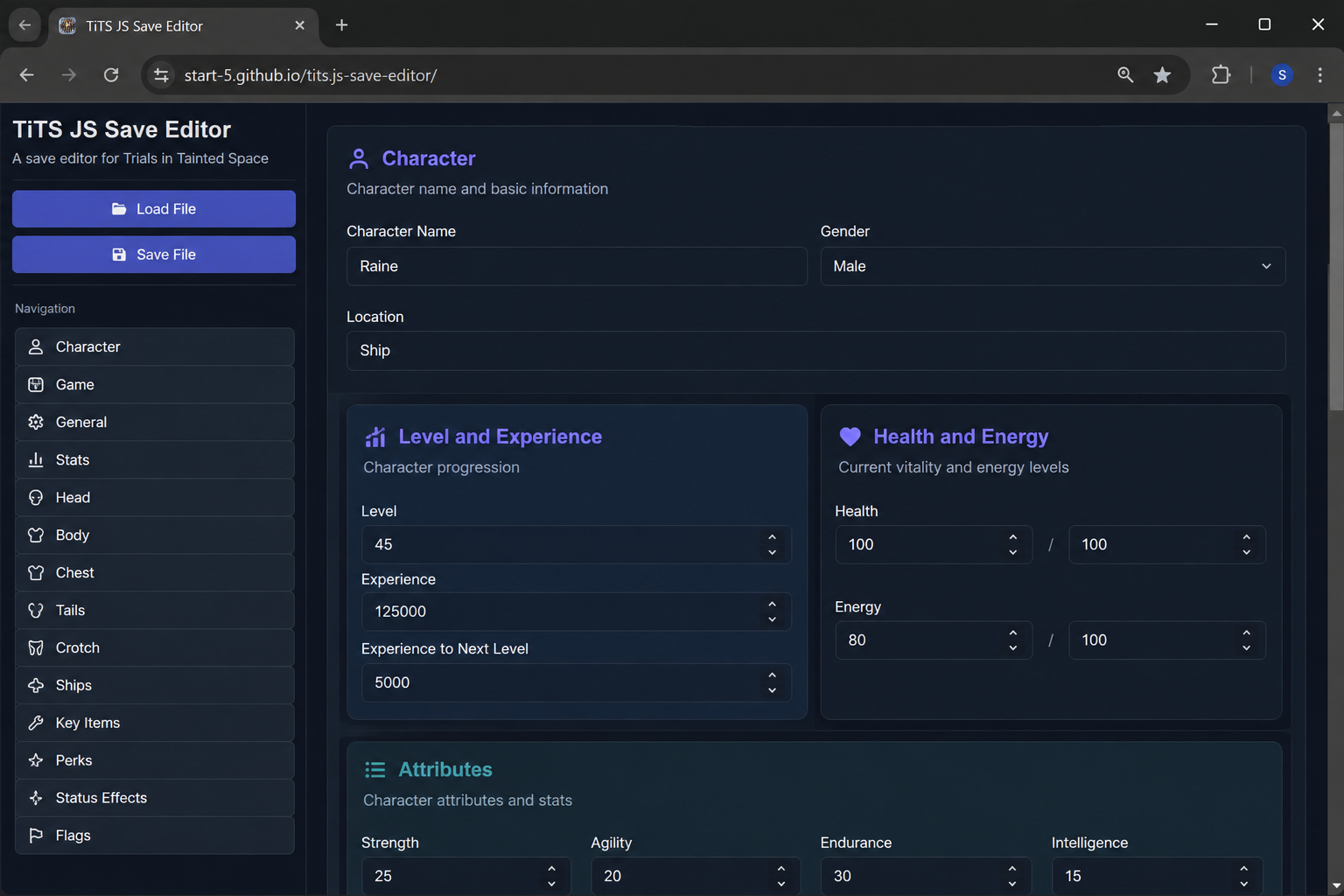
The current editor’s interface exposes categories such as Character, Game, General, Stats, Head, Body, Chest, Tails, Crotch, Ships, Key Items, Perks, Status Effects, and Flags.
This is useful because save files can contain much more information than a player normally thinks about. A seemingly simple change can affect other parts of game state, particularly when modifying flags or internal values rather than straightforward character attributes.
For that reason, small, targeted edits are safer than changing many unrelated fields at once.
5. Export the modified save
When you finish editing, use “Save File.”
The editor generates a new file rather than requiring you to overwrite your original. The official workflow documented by the project is then to return to the game and choose “Load from File” to import the modified save.
That separation is valuable because it leaves your original backup untouched.
Why the Old TiTsEd Program Often Does Not Work
One of the most common sources of confusion in searches for a TiTS save editor is the older TiTsEd application.
The GitHub repository states that TiTsEd was built for the Flash engine version of Trials in Tainted Space. It also explicitly says that it does not support the JavaScript version and points users toward JavaScript-specific alternatives.
This is a consequence of the game’s technology transition.
TiTS moved from its older Flash-based environment to HTML/JavaScript, which changed the underlying save format and runtime. Chase-san’s TiTsEdJS documentation describes this transition directly and explains that editors made for the original Flash saves do not simply carry over to the new format.
So if you have a modern .json-style JavaScript save and an old desktop editor refuses to load it, the editor is not necessarily broken. You may simply be using a tool intended for the wrong generation of saves.
What Happened to Flash-Based TiTS Saves?
The legacy save system is considerably different from the modern JavaScript workflow.
The TiTS save-editing documentation describes older saves using formats such as .tits and .sol, with .sol referring to a Flash Local Shared Object. Legacy editing methods included tools such as TiTsEd and .minerva.
A Local Shared Object is essentially Flash’s local storage mechanism. It is fundamentally different from the JSON-oriented file workflow used by the JavaScript-era game.
That is why old instructions telling users to hunt through paths containing Macromedia, #SharedObjects, or Flash cache directories can be confusing today: those instructions describe the legacy architecture, not the normal modern JavaScript save workflow.
What Does a JavaScript TiTS Save Contain?
A useful way to think about a JavaScript save is as a structured collection of game-state data.
Rather than storing a save as one giant human-readable story, the file contains values representing things such as character information, game progress, inventory-related data, flags, and other state.
The old save-editing documentation illustrates this general concept using data types such as integers, numbers, booleans, strings, arrays, and objects.
For a non-programmer, the easiest analogy is a large spreadsheet.
One cell might represent a number, another might represent true/false, another might contain text, while an entire section might contain a collection of related objects. A save editor presents those underlying values through a friendlier interface.
This is also why arbitrary manual editing can be dangerous. A value may look obvious but still have relationships with other game-state variables.
Save Editing vs. Game-State Editing
These two concepts are often mixed together, but they are not the same.
A save editor works on saved data stored in a file. You export the save, modify it, and then import the result.
A game-state editor instead interacts with the running game and changes variables while the game is active.
Chase-san’s TiTsEdJS is an example of the second category. Its documentation specifically says it operates in the same JavaScript runtime as the game and changes variables in real time.
That distinction matters when troubleshooting. A tool designed to modify live JavaScript state is not necessarily capable of opening an exported save file, and a conventional file editor does not necessarily have access to the game’s live runtime.
What Can the Current JavaScript Save Editor Change?
The editor currently exposes several areas of a JavaScript save through its interface, including character information, statistics, appearance-related sections, ships, key items, perks, status effects, flags, and general game data.
However, the existence of a category does not mean every imaginable game variable is safe to change.
This is an important difference between a user interface and a game’s internal logic. The editor can expose a value, but that value may still interact with quests, progression conditions, inventories, flags, or other systems.
For example, changing an ordinary character statistic is conceptually simpler than changing an internal quest flag that determines whether a chain of events has occurred.
The more interconnected the value, the more important it is to understand what that variable controls.
Why Save Editing Can Break a Game
Save files are not just collections of independent numbers.
Modern games often use state dependencies, meaning one value can affect the interpretation of another. A quest flag may indicate that an event has occurred. An inventory state may be expected to match another record. A character transformation or progression value may assume that several other variables are already synchronized.
If you alter only one side of that relationship, the game may encounter a state that its normal gameplay never creates.
This is why the TiTS documentation warns about strange cosmetic or functional bugs, unreadable saves, and corruption after editing.
The practical lesson is simple: a save editor is not a substitute for understanding the data you are changing.
What to Do if the Editor Will Not Load Your Save
When a TiTS save editor refuses to load a file, do not immediately assume the save is corrupt.
First determine which version of the game created it.
A legacy Flash-era save and a JavaScript-era save can use fundamentally different formats. The legacy TiTsEd program explicitly does not support JavaScript saves, while the start-5 editor is designed for JavaScript saves.
The next thing to verify is that you exported the file through the game’s Save to File mechanism when using the JavaScript editor. That is the workflow specified by the editor’s own documentation.
Also check whether you are using a current, supported copy of the editor. The project has an open GitHub issue for an unhandled exception with the mobile save editor, as well as other reports involving Firefox/Waterfox, demonstrating that browser and platform-specific issues can still occur.
In other words, an error during loading can come from file format, browser compatibility, editor limitations, or genuinely damaged data.
Mobile Devices Can Be More Complicated
Using a TiTS save editor on a phone or tablet can be less straightforward than doing it on a desktop.
The community editor is browser-based, but its GitHub issue tracker shows that mobile-related problems have occurred. One issue opened in March 2026 specifically reports an unhandled exception when using the mobile save editor.
Older community discussions also show that users have encountered platform-specific difficulties when moving TiTS save files between Android and other devices.
The safest approach is therefore to use the game’s file export/import workflow rather than attempting to manipulate internal application storage unless you fully understand that platform’s storage system.
Do You Need to Edit the JSON Manually?
Usually, no.
The TiTS wiki notes that JavaScript-version saves are stored as JSON data, which means they are technically openable in ordinary text editors. But the same documentation warns that this approach gives a user much more power and requires considerably more knowledge.
JSON is simply a structured data format. It is relatively easy for software to read, but that does not make every field safe for a human to modify blindly.
A GUI save editor is preferable for most players because it reduces the chance of accidentally breaking syntax or editing an unrelated internal value.
Manual JSON editing makes more sense for someone who already understands the game’s save structure and has a specific reason to work at that level.
Is Save Editing Supported by the Developers?
There is an important distinction here between having tools available and officially supporting arbitrary edited saves.
The TiTS community save-editing documentation says that the development team does not fully endorse save editing as a normal gameplay method and warns that users are responsible for the consequences of modifying their files.
The current JavaScript editor likewise includes a warning that edited saves can experience anything from simple bugs to irreversible corruption, and says that users assume the associated risk.
This means an edited save should be treated much like an experimental configuration: keep the original, know what you changed, and be prepared to restore it.
The Game Is Still Actively Changing
Another reason caution matters is that Trials in Tainted Space remains under active development.
The current Fenoxo forum continues to show active development and bug-report activity for the JavaScript version. Recent forum entries include builds in the 0.9.16x range, demonstrating that the underlying game continues to change.
That creates a maintenance problem for third-party save editors.
A save editor depends on the structure and meaning of the data it understands. When the game changes its internal variables or adds new systems, an older editor may not know how to interpret newer data correctly.
Therefore, “the editor loads a save” does not automatically mean every field in that save is fully supported.
A Major Change in Desktop Save Storage
TiTS has also changed how its downloaded Electron build handles saves.
In a November 2024 development update, Fenoxo’s team explained that the Electron version was being changed so game data would be stored in JSON files outside Electron’s direct control, with existing save data converted into the new file system when the downloaded build was first opened.
That is another reason older guides can be misleading.
A guide describing Flash .sol files may be accurate for the version it was written for, yet completely irrelevant to a newer JavaScript or Electron build.
Always match the instructions to the version of TiTS you are actually running.
Is the TiTS.JS Save Editor Safe?
“Safe” needs to be divided into two different questions.
From a data-integrity perspective, the main risk is that changing save data can produce unintended game behavior or corrupt the save. The project’s own disclaimer makes this explicit.
From a software trust perspective, the editor is a publicly available open-source project hosted through GitHub, and its repository identifies an MIT license.
That does not mean every third-party copy of an editor found elsewhere on the internet should be trusted.
For the lowest-risk workflow, use the project’s original public repository and hosted editor, rather than downloading repackaged binaries from unknown sites.
A Safer Save-Editing Strategy
The best approach is deliberately boring:
Back up first.
Export the save through the game.
Open it in the editor intended for that version.
Change as few values as possible.
Save the modified copy under a new name.
Load the modified copy in the game.
Test the game before making additional changes.
This creates a recovery point at every stage and makes troubleshooting far easier.
For example, if you change ten unrelated values and the game starts behaving strangely, you have no easy way to know which alteration caused the problem. If you make one targeted change, the cause is much easier to isolate.
Current TiTS Save-Editor Options at a Glance
| Situation | Best starting point |
|---|---|
| Modern JavaScript TiTS save file | TiTS.JS Save Editor |
| Legacy Flash/Adobe AIR TiTS save | TiTsEd |
| Need to modify live JavaScript game state | TiTsEdJS-style game-state tools |
Working with legacy .sol storage | .minerva / legacy tooling |
| Unsure which format your save uses | Identify the game version first |
The key point is that these tools solve different problems.
Where to Find the JavaScript Save Editor
The most directly relevant project for a JavaScript TiTS save is start-5’s TiTS.JS Save Editor.
Its GitHub repository identifies it as a JavaScript-version save editor and documents the complete file-based workflow.
The project also has a hosted web interface, so the normal workflow does not require installing the old Windows TiTsEd desktop program.
A second project, TiTsEdJS by Chase-san, is worth knowing about but should not be confused with the file editor because it is a live game-state editing tool rather than a conventional save-file editor.
Frequently Asked Questions
Does TiTsEd work with the current JavaScript version of Trials in Tainted Space?
No. The original TiTsEd project was created for the legacy Flash engine and explicitly states that it does not support the JavaScript version.
What file should I use with the JavaScript save editor?
Use the file produced by the game’s Save to File function. The editor’s documented process is to load that exported file, make changes, save a modified file, and then use Load from File inside the game.
Can I edit a TiTS JSON save with Notepad?
Technically, JavaScript TiTS saves are JSON-based, so a text editor can open them. But manual editing is riskier because you are working directly with structured game data rather than using the editor’s interface.
Why does my old TiTsEd program refuse to open my save?
The most likely explanation is a format mismatch. Legacy TiTsEd was made for Flash-era saves, while current JavaScript TiTS saves use a different system.
Can save editing corrupt my character?
Yes. The editor’s documentation explicitly warns about unintended side effects, including potentially irreversible save corruption. Keeping an untouched backup is therefore critical.
Is TiTsEdJS the same as a save editor?
Not exactly. Its maintainer explicitly describes it as a game-state editor that runs in the same JavaScript environment as TiTS and changes live variables.
Will the editor always support the newest TiTS version?
There is no guarantee. TiTS continues to receive development updates, while third-party editors depend on the game’s internal data structure remaining compatible with the editor. Current public issue reports also show that editor compatibility can vary by platform and browser.
Bottom Line
For anyone searching for an ials in Tainted Space save editor—more accurately, a Trials in Tainted Space save editor—the crucial issue is not finding just any editor. It is finding the editor that matches your TiTS save format.
For the modern JavaScript version, the TiTS.JS Save Editor is the most straightforward file-based option: export the save, load it into the editor, make targeted changes, save a new file, and import that file back into the game.
The older TiTsEd application remains relevant to the historical Flash version, but it should not be mistaken for a current JavaScript save editor. Meanwhile, TiTsEdJS is a different category altogether because it edits the running game’s state rather than simply opening and rewriting a save file.
Most importantly, keep an untouched backup and make the smallest possible edits. With an actively developed game and third-party tooling, that simple habit is the best protection against turning a convenient save adjustment into a broken character or unreadable save.
Also Read: Audiobookshelf Suddenly Failed Stream Errors and All Covers Are Gone

1 Comment
Pingback: Pipeboard Meta Ads MCP Pricing | Is the Free Plan Really Free?