


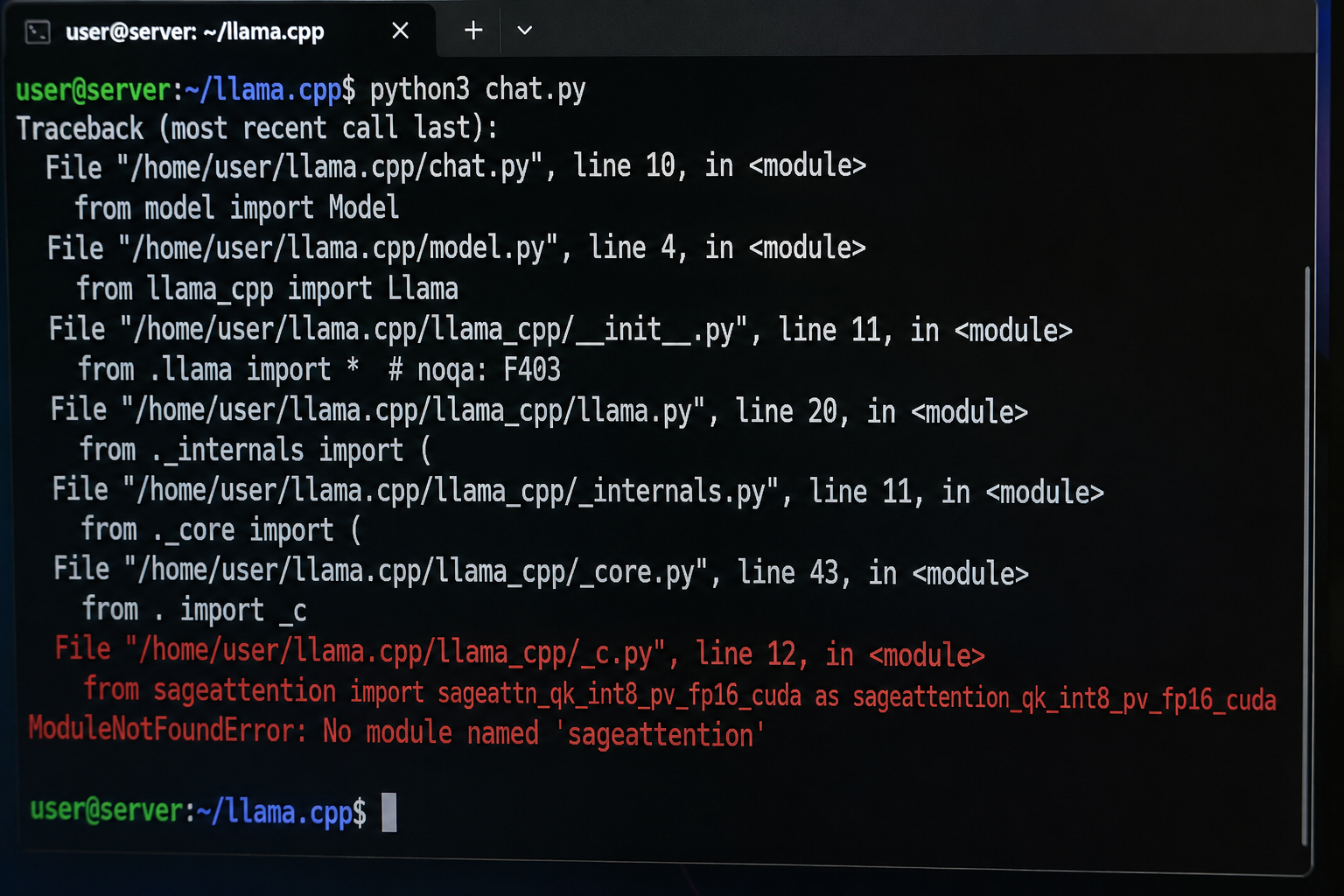
If you see ModuleNotFoundError: No module named 'sageattention', Python cannot find the SageAttention package in the environment that is running your application. The error does not necessarily mean SageAttention is unavailable or broken. In many cases, it means SageAttention was installed into the wrong Python environment, the installed package does not match your Python/PyTorch/CUDA setup, or the application is using a different interpreter than the one where you ran pip install.
This problem is particularly common with ComfyUI on Windows, where the application may use an embedded Python installation rather than the system Python. ComfyUI users have repeatedly reported situations in which pip says SageAttention is installed while ComfyUI still reports No module named 'sageattention'.
The good news is that the underlying problem is usually straightforward to diagnose. The key is to determine which Python executable is actually running your application, then install a SageAttention build compatible with that environment.
What Does “No Module Named ‘sageattention’” Mean?
Python uses modules and packages to provide additional functionality. When software contains an instruction such as:
import sageattention
Python searches its configured module locations for a package named sageattention.
If it cannot find one, it raises:
ModuleNotFoundError: No module named 'sageattention'
In simple terms, the application is saying:
“I tried to load SageAttention, but the Python environment I am currently using cannot see it.”
That distinction matters. The error does not automatically prove that you never installed SageAttention.
For example, suppose your computer has two Python installations:
C:\Python312\python.exe
D:\ComfyUI\python_embeded\python.exe
You might run:
pip install sageattention
and successfully install the package into C:\Python312.
But if ComfyUI runs with:
D:\ComfyUI\python_embeded\python.exe
ComfyUI will not automatically see the package installed in the other environment.
This is one of the most important causes of the No module named 'sageattention' error.
Why SageAttention Causes This Problem
SageAttention is an optimized attention implementation for PyTorch-based AI workloads. Attention is a fundamental operation used by transformer-based models, including many language, image-generation, and video-generation systems.
The official SageAttention project provides implementations designed to accelerate attention calculations using lower-precision and quantized computation. Its current repository includes SageAttention 2.x and SageAttention 3 components, with different hardware and software requirements.
That also means SageAttention is not simply an ordinary Python-only package.
Its installation can depend on combinations of:
- Python version
- PyTorch version
- CUDA version
- GPU architecture
- Triton
- Operating system
- The particular SageAttention release or wheel
A package can therefore appear to be installed while still being unusable by the application.
The Most Common Cause: You Installed It Into the Wrong Python
This is the first thing to check.
Run this in the same environment that launches your application:
python -c "import sys; print(sys.executable)"
This prints the exact Python executable being used.
Then check whether SageAttention is visible to that Python:
python -m pip show sageattention
Finally, test the import itself:
python -c "import sageattention; print('SageAttention import successful')"
If the last command produces:
ModuleNotFoundError: No module named 'sageattention'
then that Python environment genuinely cannot import the package.
The important detail is the use of:
python -m pip
rather than simply:
pip
The first form explicitly tells that particular Python interpreter to run its pip installation system.
This avoids a common situation where pip belongs to one Python installation while python belongs to another.
How to Fix It in ComfyUI
The problem is especially common in ComfyUI because the Windows portable version includes its own Python environment.
The official SageAttention project documents installation requirements including Python 3.9 or newer, PyTorch 2.3 or newer, and Triton 3.0 or newer for its current main installation instructions. It also lists CUDA requirements that vary according to GPU architecture and SageAttention version.
For a portable ComfyUI installation, you may have a structure resembling:
ComfyUI_windows_portable\
    ComfyUI\
    python_embeded\
    update\
    run_nvidia_gpu.bat
In that situation, installing SageAttention with the system’s ordinary pip may put it in the wrong environment.
Instead, use ComfyUI’s embedded Python directly.
For example:
.\python_embeded\python.exe -m pip show sageattention
Then test:
.\python_embeded\python.exe -c "import sageattention; print('SageAttention OK')"
If SageAttention is missing, the same interpreter should be used for installation.
Do not blindly copy a wheel or installation command from another computer. SageAttention wheels can be tied to particular combinations of Python, PyTorch, and CUDA.
Check Your Python, PyTorch and CUDA Versions First
Before installing anything, determine what your environment actually contains.
Check Python
python --version
For ComfyUI portable:
.\python_embeded\python.exe --version
Check PyTorch
python -c "import torch; print(torch.__version__)"
You can also check the CUDA runtime that PyTorch sees:
python -c "import torch; print(torch.version.cuda)"
And whether CUDA is available:
python -c "import torch; print(torch.cuda.is_available())"
PyTorch’s own installation documentation recommends selecting the appropriate operating system, Python package, and compute platform when installing PyTorch, and provides torch.cuda.is_available() as a way to verify CUDA accessibility.
Check the GPU
On an NVIDIA system, run:
nvidia-smi
This helps establish whether the NVIDIA driver and GPU are visible to the operating system.
The important point is that CUDA, PyTorch and SageAttention need to form a compatible stack. Installing a random SageAttention wheel because its filename looks similar is a common way to turn one problem into several.
Do Not Confuse the Package Name With the Import Name
Another surprisingly common mistake is capitalization.
The package is commonly imported as:
import sageattention
not:
import SageAttention
The official SageAttention documentation shows the lowercase import:
from sageattention import sageattn
and demonstrates calling sageattn() with query, key and value tensors.
Python module names are case-sensitive in many environments, so use the import name documented by the project.
A Safe First Diagnostic
Before changing PyTorch, CUDA or your ComfyUI installation, perform a simple import test.
For a normal virtual environment:
python -c "import sageattention; print('SageAttention is installed and importable')"
For ComfyUI portable on Windows:
.\python_embeded\python.exe -c "import sageattention; print('SageAttention is installed and importable')"
If it works, the output should be similar to:
SageAttention is installed and importable
If it fails with:
ModuleNotFoundError: No module named 'sageattention'
you have confirmed that the specific interpreter does not have an importable SageAttention installation.
That is much more useful than repeatedly reinstalling packages without checking which Python is being used.
If SageAttention Is Installed but Import Still Fails
Run:
python -m pip show sageattention
Pay attention to the Location field.
For example, it might show a location such as:
Location: C:\Users\Example\AppData\Local\Programs\Python\Python312\Lib\site-packages
If your application is actually using:
D:\ComfyUI\python_embeded\python.exe
then you have identified the problem.
The package exists, but it exists in another Python environment.
This is why the command:
pip list
can sometimes be misleading. It shows packages for whichever pip executable your shell happens to resolve first, not necessarily the environment used by ComfyUI.
Why SageAttention Wheels Must Match Your Environment
SageAttention can contain compiled native code and GPU-specific kernels. A wheel is a precompiled Python package, usually distributed as a .whl file.
Its filename can contain important compatibility information.
For example, a wheel might contain identifiers representing:
Python ABI
CUDA build
PyTorch build
Windows architecture
This is why you may encounter different SageAttention wheels for different combinations of Python, PyTorch and CUDA.
The official SageAttention repository currently documents SageAttention 2.2.0 installation and notes different CUDA requirements depending on GPU generation. For example, its README lists CUDA 12.0 or newer for Ampere, CUDA 12.3 or newer for Hopper FP8 support, CUDA 12.4 or newer for Ada FP8 support, and CUDA 12.8 or newer for Blackwell or SageAttention2++.
Do not interpret these requirements as a reason to upgrade your entire CUDA/PyTorch stack immediately. First identify the versions you already have and then select an appropriate SageAttention build.
Changing PyTorch simply to make SageAttention install can break other packages in ComfyUI.
Linux Installation
On Linux, the official project supports installing SageAttention 2.2.0 with pip:
pip install sageattention==2.2.0 --no-build-isolation
The project also provides source-install instructions:
git clone https://github.com/thu-ml/SageAttention.git
cd SageAttention
python setup.py install
These commands come directly from the project’s installation documentation.
However, source installation is not automatically the best choice for every user. Compilation introduces additional requirements and can fail if the local CUDA compiler, PyTorch installation, compiler toolchain or GPU architecture does not match what the project expects.
For an existing AI application, using a compatible prebuilt wheel is often simpler when one is available.
Windows Installation Is More Complicated
Windows deserves special attention because SageAttention’s upstream installation path is not as straightforward as a typical pure-Python package.
The official SageAttention repository documents the core project installation, while the Windows ecosystem includes community-maintained Windows wheels and build projects. Current Windows-focused projects demonstrate that users may need to match wheels to the exact Python/PyTorch/CUDA environment or build SageAttention locally.
For this reason, avoid advice such as:
“Just install the latest SageAttention wheel.”
There may be multiple wheels, and the newest one is not necessarily compatible with your existing ComfyUI environment.
The correct question is:
“Which SageAttention build matches the Python, PyTorch, CUDA and GPU architecture used by this application?”
That is the more reliable way to approach the problem.
ComfyUI: Why the Embedded Python Matters So Much
Suppose your ComfyUI portable folder contains:
python_embeded\python.exe
Then this is the interpreter you should use for package-management diagnostics.
For example:
.\python_embeded\python.exe -m pip --version
and:
.\python_embeded\python.exe -m pip show sageattention
Then:
.\python_embeded\python.exe -c "import sageattention; print(sageattention)"
If these commands work but ComfyUI still reports the module as missing, the next question is how ComfyUI is being launched and whether a different Python process or environment is involved.
A ComfyUI GitHub issue documents exactly this class of problem: the user had SageAttention installed, but the package had been installed into a different Python environment than the one ComfyUI actually used.
What About Triton?
Triton is a programming language and compiler infrastructure used for writing GPU kernels. SageAttention’s implementation can depend on Triton components depending on the version and path being used.
The official SageAttention installation documentation lists Triton 3.0 or newer in its base environment requirements.
This creates another possible failure mode.
You might fix:
No module named 'sageattention'
only to encounter a subsequent error involving:
No module named 'triton'
or an incompatible Triton installation.
That does not necessarily mean the original diagnosis was wrong. It can simply mean Python has progressed one step further and is now reporting the next missing dependency.
On Windows, the situation can be more complicated because Windows-specific Triton packages and SageAttention wheels are used by some AI applications. Current community and ComfyUI installation projects document Windows-specific Triton/SageAttention combinations.
Do You Need to Reinstall CUDA?
Usually, no—not as the first troubleshooting step.
The No module named 'sageattention' message is fundamentally an import/module-discovery error.
If Python cannot find the module, reinstalling NVIDIA drivers or completely replacing CUDA may be unnecessary.
Start with:
- Identify the Python executable.
- Check whether that Python sees SageAttention.
- Check Python, PyTorch and CUDA versions.
- Determine whether the correct SageAttention build is installed.
- Test the import again.
- Only then investigate deeper CUDA, compiler or kernel errors.
This order prevents unnecessary changes to a working AI environment.
A Practical Troubleshooting Sequence
The following sequence is a good general diagnostic path.
Step 1: Find the Python used by the application
Run:
python -c "import sys; print(sys.executable)"
For portable ComfyUI:
.\python_embeded\python.exe -c "import sys; print(sys.executable)"
Step 2: Check SageAttention
python -m pip show sageattention
If nothing is returned, that environment does not have the package installed.
Step 3: Test the import
python -c "import sageattention; print('OK')"
Step 4: Check PyTorch
python -c "import torch; print(torch.__version__); print(torch.version.cuda); print(torch.cuda.is_available())"
Step 5: Check the GPU
nvidia-smi
Step 6: Check Triton if your SageAttention configuration requires it
python -m pip show triton
On Windows, the relevant package may instead be a Windows-specific Triton distribution used by the application.
Step 7: Only then select or install a compatible SageAttention build
This is the point at which you should consult the SageAttention release documentation and select the build matching your environment.
What If pip show sageattention Says It Is Installed?
This is one of the most important cases.
If:
python -m pip show sageattention
shows an installed package, but:
python -c "import sageattention"
fails, investigate the installation rather than assuming the package is usable.
Check:
python -m pip show sageattention
and:
python -c "import sys; print(sys.executable); print(sys.path)"
The first command tells you where pip believes the package is installed. The second shows which Python executable and module-search paths are active.
If those do not line up, you have an environment problem.
If they do line up, the next suspects include an incompatible compiled wheel, incomplete installation, incompatible dependencies, or an application-specific environment issue.
A ComfyUI issue from 2025 documents this exact troubleshooting pattern and emphasizes installing the wheel into the Python environment actually used by ComfyUI.
Do Not Test From the SageAttention Source Folder
If you clone the SageAttention repository, avoid assuming that being inside the source directory proves the installed package works.
A Windows build guide specifically warns that importing directly from the source tree can be misleading because the source tree may not contain the compiled .pyd files required by the installed package. Its recommended smoke test is performed from the installed environment instead.
In other words, test the installed package, not merely the source checkout.
How to Verify the Fix
After installation, the simplest test is:
python -c "import sageattention; print('SageAttention import successful')"
For a more meaningful SageAttention test, the official project exposes the sageattn function:
from sageattention import sageattn
The project’s documentation demonstrates using it with query, key and value tensors.
For an NVIDIA GPU environment, a basic application-level test should therefore verify both the import and CUDA availability:
python -c "import torch; import sageattention; print(torch.cuda.is_available()); print('SageAttention OK')"
A successful import does not by itself prove that every SageAttention kernel will work with every model. It confirms that Python can load the installed package. Actual model execution can reveal additional compatibility or kernel issues.
Common Mistakes That Make the Error Worse
Installing With the Wrong pip
This is probably the most common mistake.
Instead of:
pip install ...
prefer the interpreter-specific form:
python -m pip install ...
or, with ComfyUI portable:
.\python_embeded\python.exe -m pip install ...
Installing a Wheel for the Wrong Python Version
A wheel built for one Python ABI may not work with another.
For example, a wheel marked for a particular CPython version should not automatically be assumed to work with every Python installation.
Changing PyTorch Without Checking Dependencies
Replacing PyTorch can affect ComfyUI and its custom nodes. It may also create conflicts with torchvision, torchaudio, xFormers, Triton and other GPU packages.
Do not change a working PyTorch installation merely because SageAttention failed to import.
First determine why the import failed.
Installing Multiple Random Wheels
Repeatedly installing different SageAttention wheels can leave behind a confusing dependency state.
It is better to identify:
- Python version
- PyTorch version
- CUDA runtime
- GPU architecture
- operating system
and then choose a compatible build.
Assuming SageAttention Is a Standard ComfyUI Component
SageAttention is not simply a built-in ComfyUI workflow file. Components or custom nodes may require it as an optional acceleration backend.
A recent ComfyUI forum discussion likewise notes that SageAttention is not standard to ComfyUI and must be installed separately when a workflow or feature requires it.
What If You Are Using SageAttention 3?
SageAttention 3 is a newer branch of the project with different requirements.
The official SageAttention 3 documentation currently lists a base environment of Python 3.13 or newer, PyTorch 2.8.0 or newer, and CUDA 12.8 or newer. It also states that SageAttention 3 is currently aimed particularly at certain image- and video-generation workloads and does not guarantee lossless acceleration for every model.
Therefore, do not install a SageAttention 3 build simply because it is newer.
Version compatibility matters more than version number.
If an application expects SageAttention 2.2.0 and your environment is configured for that release, switching to a different major implementation can introduce new compatibility problems.
Is SageAttention Required to Run AI Models?
Not necessarily.
SageAttention is an attention implementation/optimization, not the AI model itself.
If a particular application or custom node explicitly requires SageAttention, you may need it for that feature to function. But the broader AI model may have other attention implementations available depending on the software.
This distinction is important because an error such as:
Can't import SageAttention
can come from a particular node or feature rather than meaning that the entire AI application is fundamentally broken.
For example, a ComfyUI issue reported a WanVideoModelLoader failure specifically because its SageAttention import could not be completed.
Is SageAttention Worth Installing?
For compatible NVIDIA environments, SageAttention can be useful because it is designed to make attention computation more efficient.
The official project reports substantial speedups compared with FlashAttention in its own benchmarks, while emphasizing that the project is intended for efficient inference across language, image and video models.
However, benchmark results should not be interpreted as a guarantee that every user’s model will become faster by the same amount.
Actual results depend on factors such as:
- GPU architecture
- model architecture
- tensor shapes
- precision
- batch size
- attention implementation
- PyTorch version
- CUDA environment
- workload
SageAttention is an optimization, not a universal performance switch.
Quick Diagnosis Table
| Symptom | Most likely explanation | What to check |
|---|---|---|
No module named 'sageattention' | Package is not installed in the active environment | python -m pip show sageattention |
pip says installed, application says missing | Wrong Python environment | python -c "import sys; print(sys.executable)" |
| Import fails after installing a wheel | Incompatible or incomplete wheel | Python, PyTorch and CUDA versions |
| SageAttention imports but Triton is missing | Triton dependency is unavailable | Check the relevant Triton package |
| Installation succeeds but ComfyUI still fails | ComfyUI is using another interpreter | Inspect its launch configuration |
| Package imports but model execution fails | Kernel/GPU/runtime compatibility problem | GPU architecture, CUDA, PyTorch and SageAttention version |
| Different wheel installations keep failing | Versions do not match | Stop changing packages randomly and map the environment first |
Frequently Asked Questions
What does “No module named ‘sageattention’” mean?
It means the Python interpreter running your application cannot find an importable module named sageattention. The package may be completely absent, installed into another Python environment, or incorrectly installed.
Why does pip say SageAttention is installed but Python cannot import it?
The most common explanation is different Python environments. pip may have installed SageAttention into one environment while your application runs another.
Use:
python -m pip show sageattention
and:
python -c "import sys; print(sys.executable)"
with the same Python executable that launches the application.
How do I install SageAttention in ComfyUI?
For portable Windows ComfyUI, use its embedded interpreter rather than the system Python:
.\python_embeded\python.exe -m pip ...
The exact SageAttention installation command depends on your Python, PyTorch, CUDA and GPU configuration. The official SageAttention repository should be used to select the appropriate version and installation method.
Do I need CUDA for SageAttention?
The current official SageAttention implementations are GPU-oriented and their documented installation requirements specify CUDA versions according to supported NVIDIA GPU architectures.
If you are using a CPU-only PyTorch environment, SageAttention is not an appropriate drop-in acceleration backend.
Should I install the newest SageAttention version?
Not automatically. The correct version is the one compatible with your application’s Python, PyTorch, CUDA and GPU environment.
A newer release can require newer software or hardware.
Why does ComfyUI keep showing the error after I install SageAttention?
The most likely reason is that ComfyUI is using a different Python interpreter from the one where SageAttention was installed. This is especially common with portable or managed ComfyUI installations.
What is the correct import name?
Use:
import sageattention
or:
from sageattention import sageattn
The official SageAttention documentation uses the lowercase module name.
The Bottom Line
The No module named 'sageattention' error usually does not require a complicated fix. The most important thing is to stop treating it as a generic “SageAttention is broken” message.
It means the Python environment currently running your application cannot import SageAttention.
For most users, the correct troubleshooting order is:
- Find the exact Python executable used by the application.
- Run
python -m pip show sageattentionwith that interpreter. - Test
import sageattentiondirectly. - Check Python, PyTorch, CUDA and GPU compatibility.
- Install a SageAttention build that matches that environment.
- Check Triton and other dependencies if the next error points to them.
- Restart the application and test the actual workload.
For ComfyUI users, the most important lesson is simple: install SageAttention into the Python environment ComfyUI actually uses—not whichever Python happens to be first in your system PATH.
The official SageAttention repository remains the best starting point for version-specific requirements and installation instructions, while PyTorch’s official installation guide should be used to verify the underlying PyTorch/CUDA environment.
Also Read: ComfyUI-WanVideoWrapper | What It Is, How It Works, and Whether You Need It

1 Comment
Pingback: This Action Is Not Allowed With This Security Level Configuration.