


GradeMelon is a third-party student grade-management tool built around Synergy StudentVUE. Instead of making students navigate the standard StudentVUE experience for every task, Grade Melon presents information such as grades, schedules, attendance, and school documents through a simpler interface. Its standout feature is the ability to experiment with hypothetical grades and see how future assignments could affect a class average.
The name can be confusing because Grade Melon has existed in more than one form. The original project was created by Tinu Vanapamula, became popular among students in Montgomery County, Maryland, and later stopped working after changes to the underlying Synergy StudentVUE system. The project was subsequently restored by Jonathan Shapiro, who says he resumed development in 2024. There are also current iPhone and Android listings using the Grademelon name, so users should pay attention to the specific version and developer they are downloading.
For anyone searching for “grademelon”, the most important point is this: Grade Melon is not the official StudentVUE application or an Edupoint product. It is an independent interface intended to work with information provided by school systems using Synergy.
What Is Grade Melon?
At its core, Grade Melon is a student-facing interface for academic information.
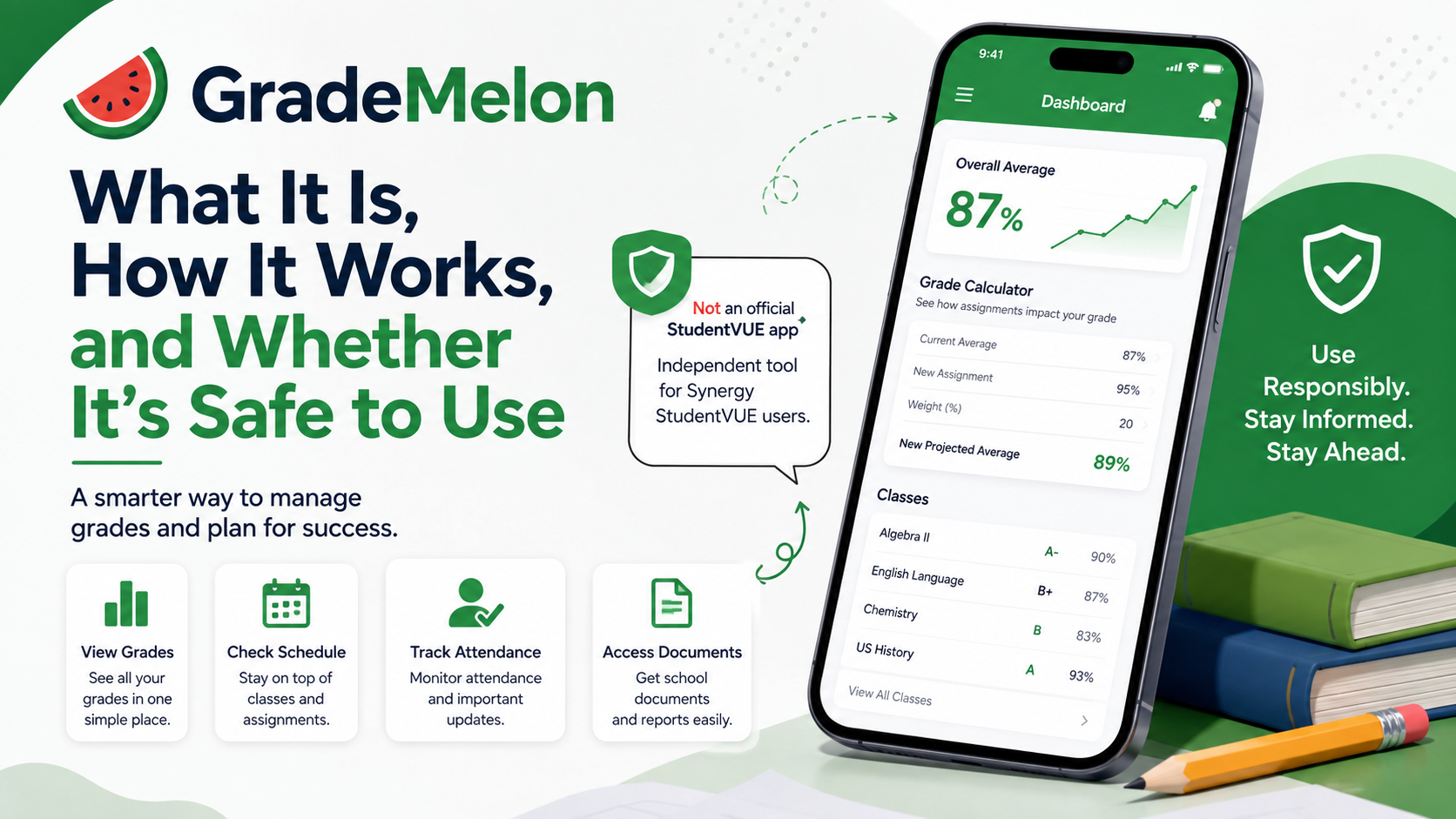
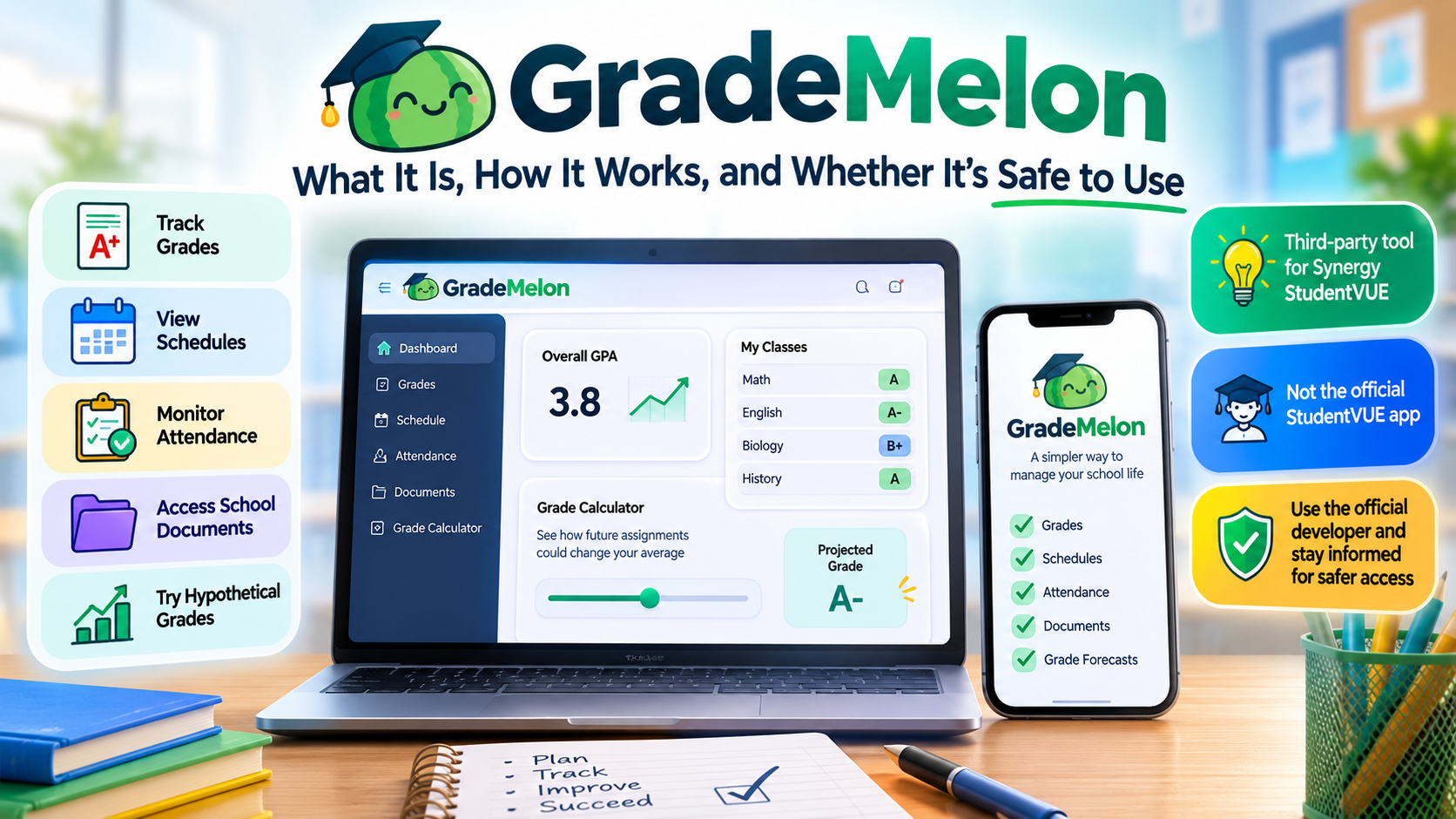
The current Grade Melon website describes itself as a third-party alternative that lets students sign in and view their schedule and calculate grades. It lists tools for editing hypothetical grades, optimizing a target grade, checking attendance, viewing schedules, downloading documents, and using dark mode.
That description makes Grade Melon easier to understand when compared with StudentVUE itself.
StudentVUE is the official student portal provided as part of Edupoint’s Synergy platform. Edupoint says StudentVUE can expose real-time grades and scores, assignment information, schedules, calendars, communication tools, and other student records, depending on how a particular school district has configured Synergy.
Grade Melon sits on top of that ecosystem as a third-party presentation layer rather than replacing the school’s underlying student-information system.
A simple way to think about it is:
School district → Synergy SIS → StudentVUE data → Grade Melon interface
The school remains responsible for the actual academic records. Grade Melon is designed to make those records easier for students to inspect and analyze.
What Does Grade Melon Do?
Grade Melon’s feature set is centered on one practical problem: students often want to know not only what their grade is, but what it could become.
The current website lists several major functions.
| Feature | What it means in simple terms |
|---|---|
| Grade viewing | See academic information through the Grade Melon interface |
| Hypothetical grades | Add or change imagined assignments to see possible results |
| Grade Optimizer | Work backward from a target grade to explore required future performance |
| Schedule | View courses across terms |
| Attendance | Review tardies and absences |
| Documents | Access available transcripts, report cards, and other documents |
| Dark mode | Use a darker interface for easier viewing in low-light conditions |
The important distinction is that hypothetical grades are calculations, not official changes to the school record. Editing a grade inside Grade Melon does not mean a teacher has changed the grade in Synergy. It is essentially a planning or simulation function.
For example, imagine a student currently has an 88% in a class and knows a 100-point exam is coming. A hypothetical-grade tool can let that student enter possible exam scores and observe the resulting class grade. That turns a vague question such as “What do I need to get an A?” into a concrete scenario.

How Does Grade Melon Work?
The simplest explanation is that Grade Melon retrieves academic information associated with a StudentVUE account and presents it in its own interface, while adding calculations and interface features that StudentVUE itself may not emphasize.
The original Grade Melon project provides useful technical background. Its public GitHub repository describes the software as a modern interface connecting to Synergy StudentVUE and says it was built as a Progressive Web App (PWA) using technologies including Next.js, Tailwind CSS, PostCSS, Flowbite, Framer Motion, and Chart.js.
A Progressive Web App, or PWA, is essentially a website that can behave more like an installed application. It can be opened in a browser but can also be added to a phone or computer’s home screen.
The current Grade Melon FAQ explicitly describes the web version as a PWA and provides instructions for adding it to the home screen on iPhone, Android, or a computer.
The historical architecture is important, but it should not be mistaken for a complete description of the current implementation. The public repository documents the earlier project, while the current website identifies a later maintainer and a continued effort to improve the service. The current site also says Grade Melon is open source, although its present page does not expose the same source repository directly.
The StudentVUE connection
The underlying relationship with StudentVUE explains both Grade Melon’s usefulness and one of its biggest technical weaknesses.
Edupoint’s StudentVUE portal is connected to the district’s Synergy environment. Edupoint describes StudentVUE as providing students with information such as grades, assignment scores, schedules and other records, with exact availability controlled by the school district.
That means a third-party interface like Grade Melon is dependent on the data structures, authentication behavior, and interfaces exposed by the underlying system.
When the underlying platform changes, a third-party application can stop working even if the third-party application itself has not suddenly developed a bug.
That is exactly what happened historically.
Why Did Grade Melon Stop Working in 2024?
The history of Grade Melon is one of the most technically interesting parts of the project.
According to the current Grade Melon FAQ, the original creator was Tinu Vanapamula, and changes made to Synergy in spring 2024 broke Grade Melon. Because Vanapamula was graduating at the time, he was unable to continue maintaining the project. Jonathan Shapiro says he later took over the effort, restored functionality by September 2024, and continued expanding the service.
Independent reporting from Churchill Observer reached the same basic conclusion in May 2024. It reported that a StudentVUE update changed how the Synergy platform returned data, causing Grade Melon to stop functioning. The article also noted that one of Grade Melon’s popular advantages was letting students model upcoming assignments, rather than merely modifying existing graded work.
This illustrates a broader software-engineering problem known as dependency fragility.
When an unofficial application relies on a system it does not control, even a relatively small upstream change can create a major compatibility problem.
In practical terms:
- The school district uses Synergy.
- StudentVUE exposes the student’s information through the district’s system.
- Grade Melon depends on being able to obtain and interpret that information.
- Edupoint changes the underlying behavior.
- Grade Melon may need to be redesigned or repaired.
So Grade Melon’s functionality is not guaranteed simply because StudentVUE itself remains available.
Was Grade Melon Popular?
The original project appears to have achieved unusually strong adoption for a student-built software project.
Vanapamula’s current professional profile says the original Grade Melon project reached 1.2 million unique visitors in just over a year, with an average visit duration of about 2.5 minutes, more than 1,000 daily active users at one point, and a peak of 12,800 unique visitors on January 25, 2024.
His portfolio separately describes the project as receiving more than one million unique visitors during its lifetime.
Those are developer-reported figures rather than independently audited traffic statistics, so they should be treated as reported project metrics, not as official industry measurements.
There is also evidence that the project had become a recognizable part of the student technology community. Montgomery Blair High School’s student publication covered Grade Melon in February 2023, describing it as a student-created grade-viewing tool developed after the shutdown of an earlier service called GradeView.
Why Is the Grade Optimizer Useful?
The Grade Optimizer is arguably the feature that gives Grade Melon more value than a conventional grade portal.
A traditional portal answers:
What is my grade now?
A grade optimizer tries to answer:
What would I need to do to reach the grade I want?
Suppose a class uses a weighted system in which exams count more than homework. A student with an 84% average might need to know whether an upcoming exam could raise the final result to 90%.
The software can model potential outcomes from the available grade information.
This is essentially a what-if calculation.
The underlying mathematics can be simple or complicated depending on the school’s grading rules. In a basic points-based class:
Current percentage = points earned ÷ points possible × 100
But a weighted grading system may instead calculate something closer to:
Overall grade = Σ(category average × category weight)
That distinction matters enormously.
If one course gives tests 60% of the final grade and homework 40%, simply averaging every assignment together could produce the wrong answer.
This is why a student’s official school grading configuration remains the authority. Grade Melon’s calculations can help with planning, but they should not be treated as a replacement for a teacher’s actual grading rules or the district’s official record.
Can Grade Melon Change Official Grades?
No.
Adding a hypothetical assignment or editing a value in a calculation screen is fundamentally different from changing the school’s official gradebook.
The current Grade Melon site describes its grade-editing function in terms of seeing how changes affect the student’s overall class grade, which indicates a simulation rather than an administrative write-back to the school record.
That distinction is important for students who may initially misunderstand the interface.
Think of it as writing numbers on a calculator:
The calculator changes the calculation, not the school’s database.
Is Grade Melon an Official StudentVUE App?
No.
This is one of the most important facts to verify before using it.
Edupoint officially provides StudentVUE as part of the Synergy Education Platform. Its official documentation describes StudentVUE as an Edupoint product that schools and districts can provide through web and mobile applications.
Grade Melon explicitly identifies itself as a third-party, unofficial service. The current iPhone listing says it is not affiliated with or endorsed by Edupoint or any school district, while the Android listing carries a similar disclaimer.
That means users should not confuse:
StudentVUE — the official Edupoint system
with
Grade Melon — an independent interface that works with StudentVUE-related student information.
Is Grade Melon Available on iPhone and Android?
The answer in 2026 is yes, but the versions are not identical in provenance.
The current Apple App Store listing for Grademelon identifies Jonathan Michael Shapiro as the developer. The listing is for iPhone, requires iOS 15.1 or later, and shows version 1.2.1 as the latest listed version, with a May 24 update date. It also offers free access with optional paid ad-free purchases.
The current Google Play listing identifies Plastuchino Ventures LLC / Plastuchino as the developer. It reports 1K+ downloads, was updated on June 6, 2026, and also states that the application is not affiliated with or endorsed by Edupoint or any school district.
That difference is worth highlighting because having the same name does not automatically establish that two store listings are maintained by the same organization.
The web version is a separate but closely related part of the ecosystem, and the current official site describes it as a PWA.
What About Privacy and Login Credentials?
This is the area where users should be most cautious.
Grade Melon deals with information that can be personally sensitive, including grades, attendance, schedules, transcripts, report cards, and potentially other school documents. Edupoint itself treats StudentVUE information as protected student information and advises users not to share their StudentVUE usernames or passwords.
The current Grade Melon store listings also show an important difference in privacy disclosures.
The Apple listing says the developer reports that the app may use data for analytics, diagnostics, product personalization, advertising, and tracking-related purposes, while Apple explicitly notes that these privacy statements are developer-provided and not verified by Apple.
The Google Play listing, by contrast, currently says the developer has declared no data collected and no data shared with third parties.
These disclosures are not necessarily proof that one store listing is unsafe and the other is safe. Different operating systems and developers can have different implementations and disclosure requirements.
There is another detail users should notice: the app descriptions advertise automatic login, meaning login information is saved so the user does not need to type it every time. The listings do not, by themselves, explain enough technical detail about the exact storage mechanism to independently verify how credentials are protected.
For that reason, the sensible approach is to treat Grade Melon as a third-party service handling potentially sensitive school information, review its current privacy policy before signing in, and use only the official school or district StudentVUE portal when you need certainty about account security or access.
Is Grade Melon Safe?
There is no evidence in the sources reviewed here that supports calling Grade Melon either universally unsafe or universally safe.
The accurate conclusion is more nuanced.
Grade Melon is openly presented as an unofficial third-party application, and that alone means users should apply more caution than they would with the official StudentVUE application supplied through Edupoint. The current iOS and Android listings make the third-party relationship explicit.
At the same time, the original project is publicly documented, its source repository is available, and the current web site states a commitment to open-source transparency.
Those are useful transparency signals, but open source is not the same thing as a security guarantee.
For students considering using the service, the safest rule is simple: know exactly which Grade Melon application you are installing, verify its developer, read the current privacy policy, and do not assume that an unofficial interface inherits all of StudentVUE’s security guarantees simply because it displays StudentVUE-related information.
What Are the Main Advantages of Grade Melon?
Grade Melon’s appeal comes from solving a problem that official grade portals do not always solve elegantly.
A simpler student experience
Its interface is designed around the things students check most frequently: grades, attendance, schedules, documents and what-if scenarios. The project’s creators specifically positioned it as a more streamlined user-facing layer rather than a replacement for the underlying student-information system.
Hypothetical assignments
Students can model possible future results rather than waiting for an assignment to be entered officially. The iOS and Android descriptions both emphasize this ability.
Goal-based planning
A grade optimizer can make an abstract academic goal easier to understand by converting it into measurable scenarios.
Instead of simply knowing that an A is “close,” a student can explore what combinations of future scores could get them there.
Cross-device convenience
The web version is a PWA, meaning it can behave similarly to an app without necessarily requiring a conventional app-store installation. The site’s own instructions explain how to install it on supported browsers and devices.
What Are the Limitations?
Grade Melon also has important limitations.
First, it depends on the underlying student-information system. The 2024 outage demonstrated that changes in Synergy can break unofficial integrations.
Second, grading calculations may depend on the school’s actual weighting rules. A hypothetical result is only as accurate as the data and grading logic being modeled.
Third, district configuration matters. Edupoint states that StudentVUE features vary by district, meaning not every school necessarily exposes exactly the same information or capabilities.
Fourth, it is not the official source of record. The authoritative grade remains whatever the school maintains in its official systems.
Fifth, privacy deserves special attention. Because Grade Melon handles academic information and offers automatic login, users should understand the current application’s data practices before entering credentials.
Grade Melon vs. StudentVUE
| Area | Grade Melon | StudentVUE |
|---|---|---|
| Ownership | Third-party | Official Edupoint product |
| Primary purpose | Student-friendly viewing and grade analysis | Official student portal |
| Grade viewing | Yes | Yes |
| Hypothetical assignments | Key feature | Official capabilities vary |
| Grade optimization | Yes | Not positioned primarily as a standalone optimizer |
| Schedule | Yes | Yes |
| Attendance | Yes | Yes |
| Documents | Yes | Available where enabled by district |
| Official school record | No | Yes, as the official portal for the district’s system |
| Relationship to Synergy | Depends on Synergy/StudentVUE data | Native part of Synergy |
| Third-party risk | Yes | Lower in the sense that it is the official platform |
Edupoint says StudentVUE provides real-time grades, scores, schedules and other information, while exact features depend on district configuration.
Why the Project Is Technically Interesting
Grade Melon is more than a grade calculator. Its history illustrates a recurring challenge in modern software: building a useful interface around a platform that you do not control.
The original project used a modern web stack, including Next.js and TypeScript-related tooling, while presenting information from StudentVUE in a separate interface.
When the upstream system changed in 2024, the integration broke. That is a classic example of an unofficial integration being vulnerable to upstream changes.
The project’s second life is therefore just as interesting as its original launch. The current FAQ records a transition from the original creator to a new maintainer, followed by restoration and continued feature development.
For technology enthusiasts, Grade Melon is a useful case study in API dependency, reverse engineering, web application design, data presentation, and software maintenance.
For ordinary students, the lesson is much simpler: a polished interface can make an existing system easier to use, but it can never completely remove the technical dependency on the system underneath.
How to Use Grade Melon Responsibly
The safest way to think about Grade Melon is as a convenience and planning tool, not as a replacement for the official school portal.
Use the official StudentVUE system as the final authority for your grades, attendance and school records. Use Grade Melon for convenient viewing and hypothetical calculations, but confirm important academic decisions against the official information maintained by your school.
Also check the developer and store listing before installing an app. The current iOS and Android versions use the Grademelon name but are associated with different developer identities, which is another reason not to assume every similarly named download is identical.
Frequently Asked Questions
What is Grade Melon used for?
Grade Melon is designed to help students view grades and other StudentVUE-related information while offering additional tools such as hypothetical assignments and grade optimization. Its current website also lists schedules, attendance, documents and dark mode.
Is Grade Melon the same as StudentVUE?
No. StudentVUE is an official Edupoint component of the Synergy Education Platform. Grade Melon is a third-party application/interface that works with StudentVUE-related information.
Can Grade Melon change my real school grades?
No. Its grade-editing and hypothetical-assignment functions are intended for calculation and planning. They do not make an official teacher or school grade change.
Does Grade Melon work with every school?
Not necessarily. Grade Melon is designed around Synergy StudentVUE, but StudentVUE capabilities and data availability differ by school district. Upstream changes can also affect compatibility.
Is there a Grade Melon app for iPhone?
Yes. The current App Store listing is an iPhone education app from Jonathan Michael Shapiro, with iOS 15.1 or later required. The latest listed release is version 1.2.1, dated May 24.
Is Grade Melon available on Android?
Yes. A current Google Play listing named Grademelon is published by Plastuchino and reports 1K+ downloads. It was updated on June 6, 2026.
Is Grade Melon open source?
The original Grade Melon project has a public GitHub repository, and the current website also says Grade Melon is committed to open-source transparency. However, the historical public repository should not automatically be assumed to represent every component of the current production service.
Who created Grade Melon?
The original project was created by Tinu Vanapamula. The current Grade Melon FAQ says that Jonathan Shapiro restored the project after the 2024 Synergy changes and continued developing it.
Why did Grade Melon stop working before?
In spring 2024, changes to the underlying Synergy/StudentVUE system altered how the platform handled data, breaking the existing Grade Melon integration. The project was later restored by a new maintainer.
The Bottom Line
Grade Melon is best understood as a third-party, student-focused layer around the Synergy StudentVUE ecosystem. Its main appeal is not simply displaying a current grade; it is helping students understand how hypothetical future results could affect that grade.
The project has an unusually interesting history for a student-built application. It grew rapidly, became popular enough to attract millions of visits, broke when its upstream platform changed, and was later revived under new stewardship.
As of August 2026, the Grade Melon website remains available as a PWA, while Grademelon-branded applications are also listed on iPhone and Android. The important caveat is that Grade Melon is not an official Edupoint or school-district product, and current app-store listings reveal different developers and different privacy disclosures.
For students who want a cleaner way to inspect their academic progress and experiment with “what if I score this on my next test?” scenarios, Grade Melon can be useful. But for official grades, account security, and authoritative student records, StudentVUE and the school district remain the source of truth.
Also Read: AnyRouter Explained | AI Model Routing, Pricing, Features, and What to Know in 2026

1 Comment
Pingback: YamTrack | A Practical Guide to the Self-Hosted Media Tracker