



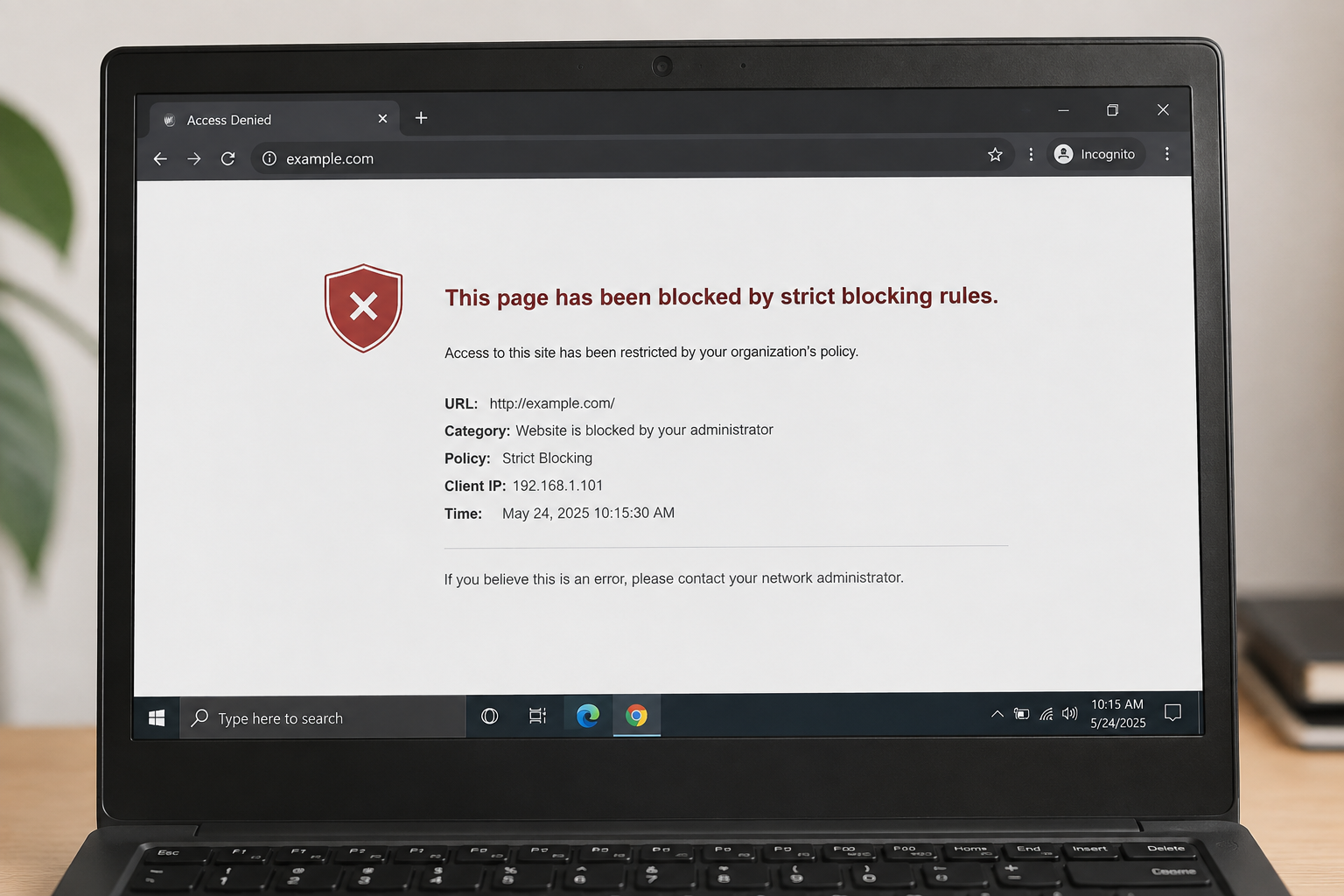
“This page has been blocked by strict blocking rules.” is a generic access-denied message indicating that a security, filtering, or content-control system has prevented a webpage from loading. The message itself does not identify the exact cause. The block may come from a web browser, DNS filter, firewall, antivirus product, parental-control system, enterprise security gateway, network administrator, or the website’s own security infrastructure.
Because the exact phrase does not identify a specific product, website, standard, or error code, it is not technically accurate to attribute it to one particular technology without additional context. The most useful way to understand the message is to determine which layer is blocking the request and why.
What Does “This Page Has Been Blocked by Strict Blocking Rules.” Mean?
In simple terms, the system has decided that the requested webpage should not be accessed under the current rules.
A web request normally passes through several components before a page appears on screen. Your browser first requests a website, the request is resolved through DNS, it may pass through a router, proxy, firewall, security service, or filtering gateway, and the destination server may then accept or reject it. A block at any one of these stages can prevent the page from loading.
“Strict blocking rules” generally suggests that the filtering system is applying a policy rather than reporting a normal website failure. For example, an organization may block categories of websites, a security product may classify a domain as risky, or a network administrator may explicitly deny access to particular addresses.
The important point is that the message does not necessarily mean the website itself is down. It may simply be inaccessible from the particular device or network being used.
Why Is a Webpage Blocked?
There are several common reasons.
1. Content filtering
Schools, workplaces, public Wi-Fi providers, and managed networks often use web-content filtering. These systems can block websites according to categories such as social media, gambling, adult content, file sharing, malware, or other restricted material.
A filter may inspect the requested domain, URL category, reputation information, or other network metadata before allowing the connection.
2. Security and threat protection
Security products can block websites that are associated with phishing, malware, suspicious downloads, fraud, or other threats. Modern security systems often use domain reputation and threat-intelligence databases to make these decisions.
A block can therefore be a protective measure rather than evidence that the website is definitely malicious.
3. Organization-specific policies
A business can configure network security rules that deny access to particular domains, applications, protocols, or destinations. These policies are often enforced centrally through firewalls, secure web gateways, DNS filtering, or cloud security services.
In that situation, the user may be unable to change the restriction because the rule is controlled by the organization.
4. Parental controls
Home networks and devices can also use parental-control features to restrict access to specific websites or categories of content. Depending on the product, restrictions may apply to individual devices, user profiles, domains, or URL categories.
5. Website-side security controls
Not every block is caused by the user’s network. Websites can also reject requests through web application firewalls, bot protection, geographic restrictions, authentication policies, rate limits, or other security controls.
This creates an important distinction: a webpage can be blocked before the request reaches the site, or the site itself can decide not to serve the request.
How Web Blocking Works
Web filtering is easier to understand when viewed as a series of checks.
Suppose you enter a website address into your browser.
First, the browser needs to determine where the domain should connect. DNS, or the Domain Name System, translates a human-readable domain such as example.com into an IP address used for network communication.
A filtering service may inspect that DNS request and refuse to provide the expected address. In other environments, DNS may succeed, but a firewall or secure web gateway can block the subsequent connection.
Even after the connection reaches the destination, the website can still deny the request.
This means a blocked page can originate from several different layers:
| Layer | Possible blocking mechanism | Typical reason |
|---|---|---|
| Device | Security software or parental controls | Local policy or threat protection |
| Browser | Extension or managed browser policy | Content or security restriction |
| DNS | DNS filtering | Domain category or reputation |
| Network | Firewall or secure web gateway | Organization policy or threat prevention |
| ISP/network provider | Network-level filtering | Provider or regulatory policy |
| Website | Web application firewall or access control | Security, authentication, or abuse prevention |
The visible message alone usually cannot tell you which layer is responsible.
Is the Website Down or Actually Blocked?
This is one of the most important questions.
A blocked website and an unavailable website are different problems.
When a website is down, its server may be offline, overloaded, misconfigured, or experiencing an outage. In contrast, a blocked website may work normally for other users but remain inaccessible from a specific device or network.
A useful diagnostic clue is whether the page loads when accessed from another legitimate network or device that is not subject to the same policy. If it works there, the problem is more likely to be local or network-specific.
However, this test alone does not prove the exact cause because websites can also apply location-based or user-specific access controls.
How to Troubleshoot the Error Safely
The correct solution depends on who controls the blocking rule.
Check whether the block affects one device or the entire network
Try another device on the same authorized network. If the website fails everywhere, the restriction may be network-level. If only one device is affected, a local browser, security application, or device policy may be involved.
This simple comparison can significantly narrow down the problem.
Check browser extensions and security software
A browser extension or endpoint-security product can sometimes interfere with website access. Check whether the browser or security software provides a detailed explanation for the block.
Do not disable security protections permanently just to access a website. A security warning should be treated as potentially meaningful until its cause is understood.
Look for a network administrator or filtering-policy message
Managed computers and networks often display additional information about the organization or security service enforcing the restriction. On a company or school network, the administrator may be the only person authorized to change the policy.
In such environments, attempting to bypass the restriction may violate organizational rules.
Check the website independently
A website may be experiencing an outage at the same time that a filtering message appears. Checking the site’s official status information or other reputable outage information can help distinguish a local restriction from a broader availability problem.
Verify the exact domain
Typos and deceptive domains can produce unexpected security warnings. Make sure the address is the legitimate domain you intended to visit.
This matters particularly for login pages, payment sites, software downloads, and other services where domain impersonation can be used for phishing.
Should You Disable the Firewall or Security Software?
Generally, no.
A firewall, DNS filter, endpoint-security application, or web protection feature may be blocking a site because it has detected a policy violation or a potential security risk. Turning off the protection removes that security layer without establishing why the site was blocked.
A safer approach is to identify the product responsible for the decision and inspect its security or filtering explanation.
For a device managed by an employer, school, or other organization, the appropriate solution is usually to contact the administrator rather than attempting to circumvent the policy.
Can a VPN Fix a Blocked Website?
A VPN changes how network traffic is routed and can affect which network-level policies are visible to the connection. However, using a VPN is not a universal or appropriate solution.
A VPN cannot necessarily bypass restrictions enforced on the device itself or by the destination website. It also may violate an organization’s acceptable-use policy, and some services deliberately restrict or challenge traffic coming from VPN addresses.
The technically correct approach is to determine where the block is being enforced before deciding whether any network change is relevant.
What If the Website Is Blocked by the Website Itself?
A site-side block can happen for reasons unrelated to your local network.
For example, a website may use a Web Application Firewall (WAF) to examine incoming requests and block traffic that resembles malicious or automated behavior. Other systems may restrict access by country, account status, IP reputation, request frequency, or authentication state.
In these cases, changing local DNS settings may have no effect because the destination server is still refusing the request.
If the site provides a support channel, the administrator can often determine whether the request was blocked and why.
Why “Strict” Blocking Matters
The word “strict” usually implies that the filtering policy is configured to reject a broader range of requests rather than merely issue a warning.
A filtering system may have different response levels. One configuration might allow the user to continue after a warning, while another may deny access completely. A strict policy therefore generally means the decision is enforced rather than left to the user.
However, the word itself does not identify a standard technical severity level. It should not be interpreted as a universal classification used by all browsers, firewalls, or security products.
Common Misunderstandings
A blocked-page message is easy to misinterpret.
It does not automatically mean the website is dangerous. A legitimate website can be blocked because of organizational policy, inaccurate classification, geographic restrictions, or an overly broad filtering rule.
It also does not automatically mean the website is safe. A block can sometimes be an important security warning, especially when the domain has a poor reputation or the request resembles malicious activity.
Finally, the message alone is not enough to identify the blocking technology. The same general concept can be implemented at many different layers of the network.
What Information Helps Identify the Exact Cause?
A more precise diagnosis normally requires information such as:
- The full error message
- The website or domain that was blocked
- The browser being used
- The device or operating system
- Whether the device is personally owned or managed by an organization
- Whether the problem occurs on other devices
- Whether other networks can access the same website
- Any security-product name, category, or block code shown on the page
These details can reveal whether the restriction is coming from the browser, device, DNS service, network gateway, ISP, or destination website.
Frequently Asked Questions
What does “This Page Has Been Blocked by Strict Blocking Rules.” mean?
It means a security or access-control system has prevented the requested webpage from being loaded. The exact reason depends on the system enforcing the rule.
Does this message mean the website is dangerous?
Not necessarily. A website can be blocked because of organizational policy, content categories, geographic restrictions, reputation systems, or security controls. The message alone is not enough to determine whether the site is malicious.
Why can I open the website on one network but not another?
Different networks can use different DNS filters, firewalls, security gateways, or access policies. A website that is available on a home connection may therefore be restricted on a corporate, school, public, or managed network.
Why does the website work on another device?
The other device may use different security software, browser policies, DNS settings, or network configuration. It is also possible that the original device is subject to a local security or parental-control rule.
Can clearing the browser cache solve the problem?
Clearing the cache can fix some ordinary webpage-loading problems, but it does not normally remove a network-level or security-policy block. It is therefore not a reliable solution for a genuine filtering restriction.
Is a blocked webpage the same as a server error?
No. A server error generally means the destination system returned an error or failed to process the request. A blocking message indicates that access has been deliberately restricted by a policy or security mechanism, although the two situations can sometimes appear similar to the user.
Bottom Line
“This Page Has Been Blocked by Strict Blocking Rules.” is an access-control message, not a complete diagnosis. It tells you that a rule has prevented the webpage from being accessed, but it does not by itself reveal whether the rule belongs to a browser, security application, DNS service, firewall, managed network, ISP, or the website itself.
The most reliable troubleshooting method is to identify where the block occurs rather than immediately trying to bypass it. Check whether the problem affects one device or an entire network, inspect the security product or filtering service that generated the message, verify the website address, and consult the network administrator when the device or connection is managed.
That approach is safer, more accurate, and much more likely to identify the real cause than treating every blocked-page message as a generic browser problem.
Also Read: WeChat MiniProgram Cloud Development Local Emulator Docker 2024

1 Comment
Pingback: VideoDB API Upload From URL Documentation and Examples