


If you are searching for ComfyUI-WanVideoWrapper, you are most likely looking for a way to run Wan video-generation models inside ComfyUI with more flexibility than ComfyUI’s native Wan support provides.
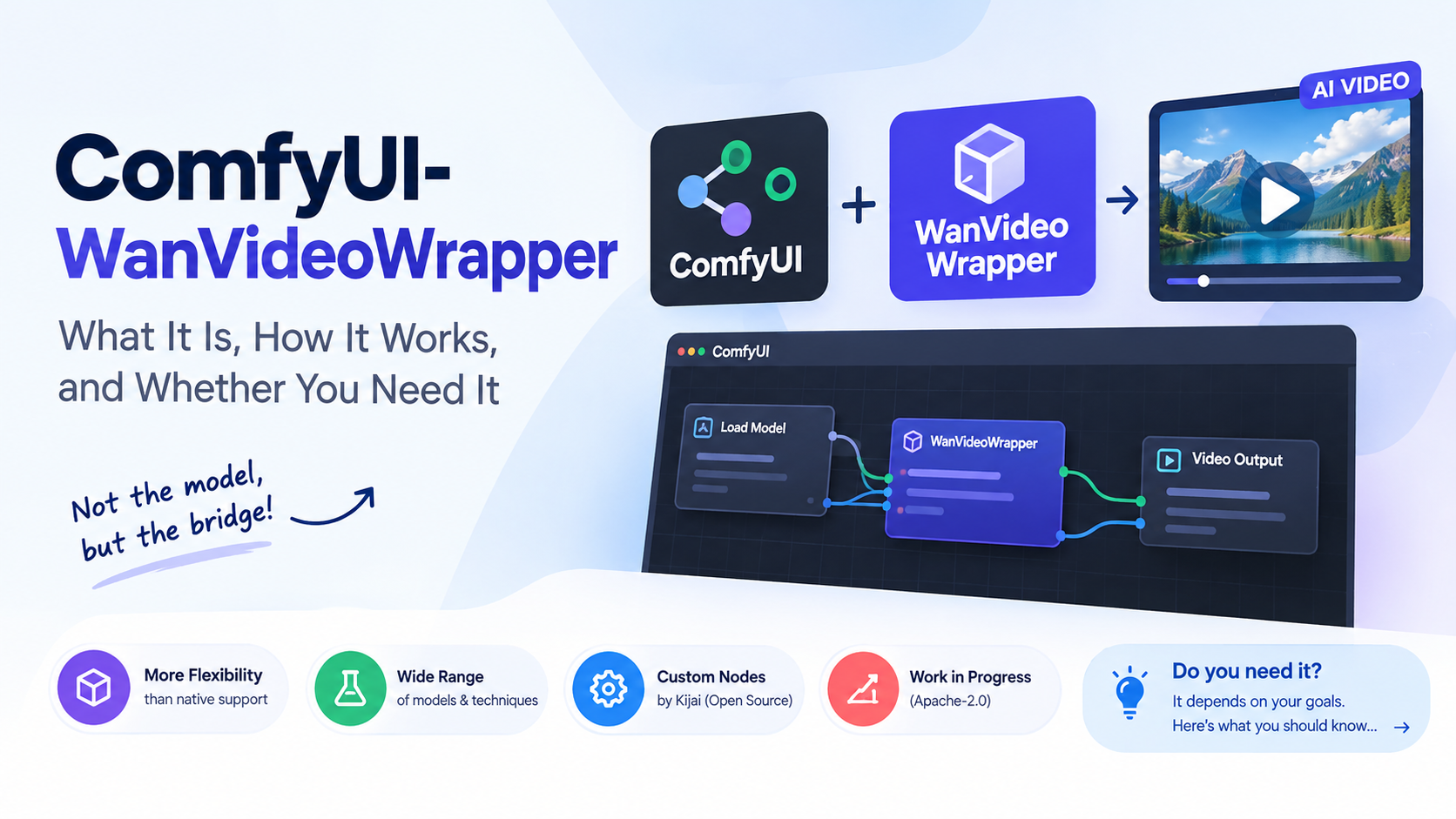
The important distinction is that ComfyUI-WanVideoWrapper is not the Wan model itself. It is an open-source collection of ComfyUI custom nodes maintained by Kijai that connects ComfyUI’s node-based workflow system with WanVideo models and a growing collection of related video-generation techniques and models. The project is released under the Apache-2.0 license and remains explicitly described by its maintainer as work in progress.
That distinction matters because Wan 2.1 and Wan 2.2 can now be used natively in ComfyUI. ComfyUI’s own documentation provides native Wan 2.2 workflows for text-to-video, image-to-video and the 5B hybrid text/image-to-video model. Kijai’s own documentation says that if a model or feature is already available natively, users generally should prefer native ComfyUI rather than automatically choosing the wrapper.
So why does ComfyUI-WanVideoWrapper still matter? The answer is experimentation and breadth. The project has become a large testbed for Wan-related models, video techniques, memory optimizations, control systems and emerging research implementations that may not yet be part of ComfyUI’s core nodes. Its repository currently contains dedicated components for areas such as WanVideo, context windows, ControlNet, GGUF loading, MultiTalk, SkyReels, SCAIL, LongCat, WanMove, UniAnimate and several other projects.
What Is ComfyUI-WanVideoWrapper?
ComfyUI-WanVideoWrapper is a custom-node package for ComfyUI.
To understand that, it helps to separate the three pieces involved:
| Component | What it does |
|---|---|
| ComfyUI | Provides the visual, node-based environment for building AI workflows |
| Wan / Wan 2.1 / Wan 2.2 | Provides the underlying AI models for generating or transforming video |
| ComfyUI-WanVideoWrapper | Provides custom nodes and supporting code that make Wan and related technologies usable in ComfyUI workflows |
A custom node is essentially an additional building block installed into ComfyUI. Instead of ComfyUI only knowing how to perform its built-in operations, custom nodes can add new model loaders, samplers, preprocessing steps, conditioning methods or other functions.
The wrapper therefore acts less like a conventional standalone application and more like a specialized integration layer.
The official repository describes it as “ComfyUI wrapper nodes for WanVideo and related models.” It also makes clear that the project is intentionally a work in progress and is used as a place to implement new models and features quickly, sometimes before those capabilities make their way into ComfyUI itself.
Why Was a WanVideo Wrapper Needed?
Wan is a sophisticated family of video-generation models. Integrating every new video model and research technique directly into ComfyUI’s core can take time because core changes need to fit ComfyUI’s broader architecture.
Kijai’s explanation is straightforward: some new models and features are easier and faster to implement in a standalone wrapper than in ComfyUI’s core code. That makes the wrapper useful as an experimental sandbox where new Wan-related capabilities can be tested rapidly.
Think of it this way:
Native ComfyUI is the main road. ComfyUI-WanVideoWrapper is a specialized workshop alongside the road where new vehicle designs can be tested.
Once a feature becomes mature and worthwhile, some functionality can eventually move toward native ComfyUI support. The wrapper’s maintainer explicitly says the project’s goal is not to replace everything available in native ComfyUI.
How ComfyUI-WanVideoWrapper Relates to Wan 2.1 and Wan 2.2
The wrapper is closely associated with the Wan family of video-generation models, particularly Wan 2.1 and Wan 2.2.
Wan 2.1 introduced multiple model sizes, including 1.3B and 14B parameter models, and supports tasks including text-to-video and image-to-video. ComfyUI’s documentation now provides native Wan 2.1 workflows.
Wan 2.2 expanded the family. ComfyUI’s official documentation describes the 5B version as a hybrid text-to-video/image-to-video model, while the 14B family includes separate high- and low-noise models for major workflows such as text-to-video and image-to-video.
Wan 2.2’s official implementation also uses a Mixture-of-Experts (MoE) approach in which high-noise and low-noise expert models are used at different stages of denoising. In simple terms, the system uses different specialized model components during different parts of the generation process rather than relying on exactly the same expert for the entire denoising trajectory.
This is one reason Wan workflows can look more complicated than a basic image-generation workflow.
What Can You Actually Do With It?
The answer depends on the models and workflows you install, but the wrapper is considerably broader than a simple text-to-video node.
Its repository includes support for or integration work around technologies such as:
- WanVideo
- WanAnimate
- SkyReels
- Lynx
- MoCha
- UniLumos
- BindWeave
- TimeToMove
- SteadyDancer
- One-to-all-Animation
- SCAIL
- LongCat-Video
The project also contains dedicated areas for context windows, ControlNet, MultiTalk, GGUF, video enhancement, camera-related workflows and other experimental systems.
This does not mean every listed technology is a separate Wan model or that every feature works identically across every workflow. The wrapper is better understood as a large collection of Wan-oriented integrations and experimental video-generation components.
Text-to-video
Text-to-video, often abbreviated T2V, means the model receives a written description and generates a video based on it.
For example:
“A cinematic shot of a red sports car driving through a rain-soaked city at night, reflections on the road, slow camera movement.”
The text is converted into a representation the video model can use as conditioning, and the model then generates the visual sequence.
Image-to-video
Image-to-video, or I2V, starts with an image rather than only text.
The image provides the visual starting point while a prompt can describe the intended motion or scene behavior.
For example, you could provide an image of a person standing on a beach and prompt the system to create a video in which the person’s hair and clothing move in the wind.
ComfyUI’s native Wan 2.2 workflow documentation explicitly supports image-to-video workflows and exposes controls such as image input, dimensions and frame length.
Video-to-video and animation workflows
The wrapper also goes beyond straightforward generation. Its examples and supported integrations include techniques for modifying or controlling existing video, character animation and other forms of video transformation.
For example, WanAnimate is designed for character animation and replacement. ComfyUI’s current native documentation describes it as a unified framework that can replicate a performer’s body movement and facial expressions onto another character, as well as replace characters while attempting to preserve movement, expressions, lighting and color relationships.
Why the Wrapper Can Be More Complicated Than Native Wan
A common mistake is to assume that installing ComfyUI-WanVideoWrapper gives you a single “Wan node.”
It does not.
The repository contains a substantial collection of nodes and supporting code. Its current source tree includes separate components for model loading, sampling, utilities, GGUF support, FP8 optimization, context handling, ControlNet and many specialized model integrations.
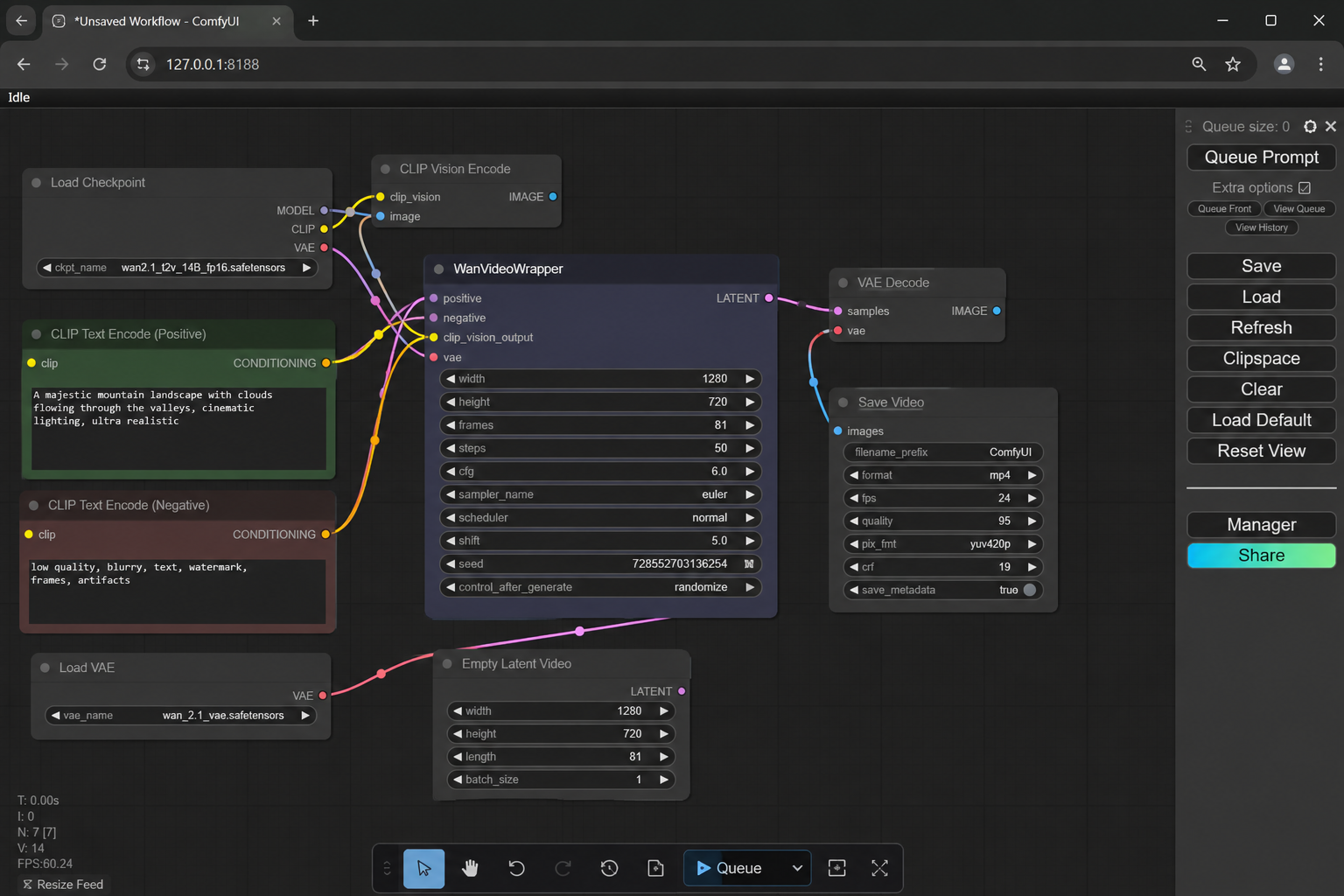
A typical workflow can therefore involve several layers:
- Loading the model
- Loading the text encoder
- Loading the VAE
- Preparing text or image conditioning
- Creating video latents
- Running the Wan sampler
- Managing memory and model offloading
- Decoding the generated latent representation into video
- Saving or previewing the result
A VAE, or variational autoencoder, is the component responsible for converting between ordinary visual data and a compressed mathematical representation called a latent. The diffusion model performs much of its work in this latent representation rather than directly manipulating every output pixel.
That architecture is one reason video generation can require substantial GPU memory.
How Model Files Are Organized
The wrapper’s installation documentation separates different model components into different ComfyUI model directories.
According to the repository, the general arrangement is:
| Model component | ComfyUI location |
|---|---|
| Text encoder | ComfyUI/models/text_encoders |
| CLIP Vision models | ComfyUI/models/clip_vision |
| Main transformer/video model | ComfyUI/models/diffusion_models |
| VAE | ComfyUI/models/vae |
The wrapper can also use ComfyUI’s native text-encoding and CLIP Vision loaders, and its main model loader supports GGUF models.
This is important because downloading a single model file is not necessarily enough. A workflow may require a specific combination of transformer, text encoder and VAE files.
Using the wrong model family or incompatible component can result in missing-model errors, shape mismatches or failures during sampling.
How to Install ComfyUI-WanVideoWrapper
The project’s official installation method is relatively simple, but the overall setup can become more complicated because the wrapper has its own dependencies and the video models themselves require substantial model files.
The repository instructs users to clone the project into ComfyUI’s custom_nodes directory and then install its Python requirements. For a standard installation, the documented approach is:
cd ComfyUI/custom_nodes
git clone https://github.com/kijai/ComfyUI-WanVideoWrapper.git
pip install -r ComfyUI-WanVideoWrapper/requirements.txt
For the Windows portable build, the project specifically recommends using ComfyUI’s embedded Python executable:
python_embeded\python.exe -m pip install -r ComfyUI\custom_nodes\ComfyUI-WanVideoWrapper\requirements.txt
Those commands come directly from the project’s installation instructions.
After installation, restart ComfyUI and make sure the required model files are placed in the correct directories.
Do not treat the wrapper installation and model installation as the same thing. Installing the custom nodes gives ComfyUI the additional functionality, but you still need the model weights and other assets required by the particular workflow.
Should You Use the Wrapper or Native ComfyUI Wan Nodes?
This is probably the most important practical question.
For many users, native ComfyUI support should be the first choice.
ComfyUI now has official Wan 2.2 documentation and native workflow templates. The official documentation covers the 5B hybrid model as well as 14B text-to-video and image-to-video workflows.
Kijai’s own README reaches essentially the same conclusion: if a model or feature already works natively, there is generally little reason to use custom wrapper nodes purely for the sake of using the wrapper.
The wrapper becomes more interesting when you specifically need something that isn’t available in native ComfyUI, or when you want to experiment with one of the additional integrations implemented in the project.
| Situation | Better starting point |
|---|---|
| Basic Wan 2.2 text-to-video | Native ComfyUI |
| Basic Wan 2.2 image-to-video | Native ComfyUI |
| Official ComfyUI Wan workflow | Native ComfyUI |
| Experimental Wan-related model | ComfyUI-WanVideoWrapper may be useful |
| A feature implemented in the wrapper but not native | Wrapper |
| Specialized Wan research workflow | Often wrapper |
| You want the simplest supported workflow | Native ComfyUI |
| You are experimenting with new Wan integrations | Wrapper |
The distinction is not merely theoretical. ComfyUI’s own issue tracker contains examples of community implementations that depend on Kijai’s wrapper because equivalent functionality was not yet native.
What About VRAM Requirements?
There is no single VRAM number for “ComfyUI-WanVideoWrapper.”
Memory usage depends on which model you use, model precision, resolution, number of frames, workflow configuration, offloading, attention implementation and other settings.
That is why claims such as “WanVideoWrapper requires exactly X GB of VRAM” should be treated with caution.
The wrapper itself contains several memory-management mechanisms. Its maintainer has documented changes involving block swapping, asynchronous offloading, LoRA handling and reduced reliance on torch.compile for VRAM efficiency.
Block swapping is a memory-saving technique in which portions of a large model are moved between GPU memory and system memory rather than keeping the entire model resident on the GPU.
This can make large models usable on hardware with less VRAM, but there is a trade-off: moving data between system RAM and GPU memory can affect performance.
The official ComfyUI documentation also demonstrates the difference between model sizes. For example, ComfyUI says the Wan 2.2 5B model should fit well on an 8 GB VRAM system with native offloading. That statement applies to the specific 5B native workflow and should not be interpreted as an 8 GB requirement for every Wan model or wrapper workflow.
The 14B workflows are substantially larger and should not be assumed to have the same memory requirements.
What Are FP8 and GGUF, and Why Do They Appear in Wan Workflows?
If you are new to local AI, terms such as FP8, FP16, BF16 and GGUF can make Wan workflows look unnecessarily confusing.
They refer, broadly, to ways of representing model numbers in memory.
FP16 uses 16-bit floating-point values. It generally preserves more numerical precision than lower-bit representations but requires more memory.
FP8 uses 8-bit floating-point representations and can substantially reduce memory requirements, depending on the implementation and model.
GGUF is a model-file format widely associated with efficient local model loading and quantization. In practical terms, quantization means representing model weights with fewer bits so that a model can consume less memory, usually with some trade-off involving precision or compatibility.
The WanVideoWrapper repository specifically supports GGUF loading in its main model loader and provides FP8-related model options.
However, lower precision is not automatically better. Compatibility depends on the hardware, software stack and specific model implementation. A workflow that works with one precision or GPU architecture may fail with another.
Why Do WanVideoWrapper Workflows Sometimes Break After an Update?
This is one of the biggest practical drawbacks of using a rapidly evolving custom-node project.
The repository is actively developed and has a large number of open issues and pull requests. Recent development activity has included fixes and changes involving memory management, GGUF, quantization, SageAttention, SCAIL, MultiTalk, audio handling, context windows and other areas.
That means a workflow that worked last month may require adjustment after updating ComfyUI, WanVideoWrapper, PyTorch, Triton, CUDA-related components or other dependencies.
The problem is not necessarily that the software is poorly designed. It is partly a consequence of the complexity of local AI software stacks.
A modern video-generation workflow can involve:
ComfyUI → custom nodes → PyTorch → CUDA/ROCm → attention implementation → model weights → VAE → text encoder → GPU drivers
A change in one layer can expose an incompatibility somewhere else.
For example, the project’s issue tracker contains reports involving FP8 behavior with particular PyTorch/CUDA/hardware combinations and separate reports involving CUDA/Inductor failures. These reports demonstrate that compatibility problems can be highly environment-specific rather than representing a universal WanVideoWrapper bug.
What Does the “Work in Progress” Warning Mean?
The project’s README explicitly labels ComfyUI-WanVideoWrapper as “WORK IN PROGRESS (perpetually).”
That warning should be taken seriously.
It means the project is valuable for experimentation, but users should not expect the same stability or compatibility guarantees they might expect from a mature, narrowly focused application.
The repository has thousands of commits, a large community, numerous forks and substantial ongoing development. Its GitHub activity also shows frequent changes and active pull requests.
For advanced users, that rapid development is an advantage.
For beginners who simply want to generate a Wan video without troubleshooting Python packages and model compatibility, native ComfyUI workflows are generally the less complicated starting point.
Common Problems and What They Usually Mean
“The node is missing”
This normally means the workflow references a custom node that ComfyUI cannot find.
Check whether ComfyUI-WanVideoWrapper is actually installed, whether it is located under custom_nodes, and whether ComfyUI was restarted after installation.
If the workflow requires additional custom nodes beyond WanVideoWrapper, those must also be installed.
“Model not found”
This generally means the workflow expects a model file that is not installed in the appropriate ComfyUI model directory.
Check the workflow’s model names and compare them with the files installed under:
ComfyUI/models/
The wrapper documentation specifically separates text encoders, CLIP Vision models, diffusion models and VAEs into different directories.
Tensor shape or dimension mismatch
Errors containing messages such as “expected input … to have X channels, but got Y” usually indicate that components in the workflow are not compatible with each other.
Possible causes include:
- The wrong model was selected.
- A workflow was built for a different model variant.
- A VAE or conditioning component does not match the model.
- A custom node version changed.
- The workflow itself expects a different architecture.
The safest response is not to randomly change dimensions or channel counts. First identify exactly which model and workflow combination the workflow was designed for.
The project’s issue tracker contains real examples of tensor-dimension mismatches in Wan workflows, illustrating why blindly changing parameters can conceal rather than solve the underlying compatibility problem.
FP8 or Triton errors
If an error mentions FP8 data types, Triton, TorchInductor or unsupported architectures, the problem may be related to the interaction between the model precision, GPU architecture and software versions.
For example, the repository has documented issue reports involving FP8 models and particular PyTorch/CUDA environments.
This is one area where copying a random command from an unrelated tutorial can make the situation worse.
Check the exact GPU, operating system, Python version, PyTorch version, CUDA/ROCm environment and model precision before changing anything.
Very slow first generation
A slow first run does not automatically mean the workflow is broken.
Compilation and caching can affect initial execution, especially when torch.compile or related compiler components are involved. Kijai’s documentation specifically discusses cases where a first run can consume substantially more VRAM because of compilation and cache behavior, particularly on Windows.
The project also has issue reports describing unusually slow first sampling followed by significantly faster subsequent runs.
In other words, first-run performance and steady-state performance can be very different.
How to Make Troubleshooting Easier
The most effective approach is to avoid changing several variables at once.
If a working workflow suddenly fails after an update:
- Record the versions you are currently using.
- Identify the exact model checkpoint.
- Check whether the workflow was designed for Wan 2.1 or Wan 2.2.
- Check whether it uses native or wrapper nodes.
- Look at the first meaningful error in the console rather than the final cascade of errors.
- Check the project’s current issues before replacing dependencies.
- Change one component at a time.
This is particularly important with AI video workflows because a single failed component can generate dozens of secondary error messages.
What Makes ComfyUI-WanVideoWrapper Useful for Advanced Users?
The biggest strength of the wrapper is speed of experimentation.
The repository contains implementations and integrations covering a wide range of video-generation research and tooling. Its current tree includes dedicated directories for technologies such as SCAIL, LongCat, WanMove, MultiTalk, SkyReels, UniAnimate, MoCha and others.
That gives advanced ComfyUI users something that native support alone cannot always provide: a place to experiment with emerging Wan-related ideas without waiting for every feature to become part of ComfyUI’s core implementation.
The wrapper has also evolved beyond basic model loading. Its source includes memory-management work, FP8 optimization, context-window functionality, GGUF support and specialized samplers and utilities.
For researchers, workflow developers and enthusiasts who want to explore new video-generation techniques, that flexibility can be extremely useful.
What Are the Main Disadvantages?
The same flexibility creates the wrapper’s biggest weaknesses.
More complexity
There are more nodes, more dependencies and more possible combinations to understand.
Potential compatibility problems
Because the project evolves quickly, updates can affect existing workflows.
Model-management complexity
Different workflows may require different combinations of models, precision formats, VAEs and encoders.
Less predictable stability
The project is explicitly a work in progress, so users should expect experimentation rather than a completely static software environment.
Native ComfyUI has caught up considerably
This is perhaps the most important change compared with the early days of Wan support.
ComfyUI now provides official native Wan 2.2 workflows, including the 5B and 14B families.
As native support expands, the argument for installing the wrapper just to run ordinary Wan generation becomes weaker.
The strongest reason to use it today is therefore not simply “because it supports Wan.” It is because it supports particular Wan-related capabilities or experimental workflows that you specifically need.
ComfyUI-WanVideoWrapper vs Native Wan Support
The decision can be reduced to one question:
Does the native ComfyUI implementation already provide the feature you need?
If the answer is yes, native support is usually the simpler option.
If the answer is no, the wrapper is worth investigating.
This is also consistent with Kijai’s own explanation of the project’s purpose. The maintainer does not present the wrapper as a universal replacement for native ComfyUI; instead, it is positioned as a fast-moving environment for implementing and testing new models and techniques.
Is ComfyUI-WanVideoWrapper Safe to Use?
There are two different questions here.
From a software-license perspective, the repository is published under the Apache-2.0 license.
From a practical security perspective, installing any third-party ComfyUI custom node means you are installing and executing third-party code in your local Python environment.
That does not mean the wrapper is malicious. It means users should follow normal software-supply-chain precautions:
- Use the official Kijai repository rather than an unknown re-upload.
- Download model files from reputable sources.
- Be cautious with random workflow files containing unfamiliar custom nodes.
- Keep track of what packages you install.
- Avoid blindly executing commands copied from untrusted forums.
For professional or sensitive environments, it is especially important to treat custom AI nodes as software dependencies rather than as harmless workflow files.
Does ComfyUI-WanVideoWrapper Support Wan 2.2?
Yes, the wrapper has been used for Wan 2.2 workflows and related integrations.
However, users should distinguish that from saying the wrapper is the official Wan 2.2 implementation.
Wan 2.2 itself comes from the Wan team, while ComfyUI-WanVideoWrapper is a community project that integrates Wan and related technologies into ComfyUI. The official Wan repository identifies itself as the open and advanced large-scale video generative model project, while ComfyUI separately documents its native Wan 2.2 implementation.
That distinction becomes important when diagnosing problems. A failure in a wrapper workflow does not necessarily mean that the underlying Wan model is broken.
What Is the Best Way to Start?
If you are new to local AI video generation, the most sensible route is:
Start with a native ComfyUI Wan workflow.
ComfyUI’s official documentation provides ready-made Wan 2.2 templates, including 5B and 14B workflows.
Once you understand the basic workflow—model loading, text conditioning, latent generation, sampling and decoding—you can move to ComfyUI-WanVideoWrapper when you encounter a specific feature that requires it.
This approach has an important advantage: you learn the underlying workflow before adding another layer of complexity.
For advanced users, the opposite may be appropriate. If you already know ComfyUI and specifically need an experimental Wan integration, the wrapper can provide access to capabilities that are not yet represented in the native workflow ecosystem.
Frequently Asked Questions
Is ComfyUI-WanVideoWrapper the Wan model?
No. It is a ComfyUI custom-node project that provides wrapper nodes and integrations for WanVideo and related models. The actual video-generation models are separate model weights.
Is ComfyUI-WanVideoWrapper official?
It is not the official Wan model implementation. It is maintained as an independent open-source ComfyUI project by Kijai. Wan itself is developed by the Wan team, while ComfyUI also maintains its own native Wan integrations.
Do I need ComfyUI-WanVideoWrapper to run Wan 2.2?
No. Current ComfyUI versions provide native Wan 2.2 workflows. The wrapper is primarily useful when you need additional or experimental functionality.
Where do WanVideoWrapper models go?
The repository documents separate locations for text encoders, CLIP Vision models, diffusion/transformer models and VAEs. The exact files depend on the workflow and model family.
Can WanVideoWrapper run on a GPU with limited VRAM?
Potentially, but there is no universal VRAM requirement. Memory use depends on the model, precision, resolution, frame count and offloading configuration. The wrapper includes memory-management techniques such as block swapping and offloading.
Is Wan 2.2 better than Wan 2.1?
Wan 2.2 is the newer generation and introduces architectural and model-family changes, including the MoE approach described by ComfyUI’s documentation. But “better” depends on the specific task, model variant and workflow rather than being a universal property of every generation.
Why does my WanVideoWrapper workflow stop working after an update?
Custom-node workflows can depend on specific versions of ComfyUI, PyTorch, compiler components, attention libraries and model files. The wrapper is actively developed, so compatibility changes can occur. The project’s issue tracker shows ongoing work on exactly these kinds of problems.
Should beginners install WanVideoWrapper?
Usually, not as their first step. Native ComfyUI Wan workflows are now mature enough to provide a simpler introduction. The wrapper becomes more valuable once you need a feature that native ComfyUI does not provide.
The Bottom Line
ComfyUI-WanVideoWrapper is best understood as an advanced, rapidly evolving integration and experimentation layer for WanVideo inside ComfyUI—not as a replacement for the Wan models themselves.
Its biggest strength is its ability to bring new Wan-related models, techniques, memory optimizations and experimental capabilities into a node-based workflow quickly. Its biggest weakness is the same thing: rapid development creates more complexity and can introduce compatibility problems.
For ordinary Wan 2.2 text-to-video or image-to-video generation, native ComfyUI is now the logical starting point because official workflows are available without requiring the wrapper.
For advanced users who need specialized Wan integrations, experimental research implementations, additional control techniques or features not yet available natively, ComfyUI-WanVideoWrapper remains an important part of the local AI video ecosystem.
The practical rule is simple:
Use native ComfyUI when it already does what you need. Use ComfyUI-WanVideoWrapper when you have a specific reason to go beyond native support.
That distinction makes the project much easier to understand—and prevents one of the most common mistakes in the ComfyUI ecosystem: installing a large collection of custom nodes before knowing whether you actually need them.

2 Comments
Pingback: No Module Named 'sageattention' | How to Fix the Error
Pingback: This Action Is Not Allowed With This Security Level Configuration.