


Getting the gold price per gram in euros (EUR) from Python is easier than it first appears. The key is finding an API that provides both the gold spot price and the ability to express that price in EUR per gram, rather than returning only a price in U.S. dollars per troy ounce.
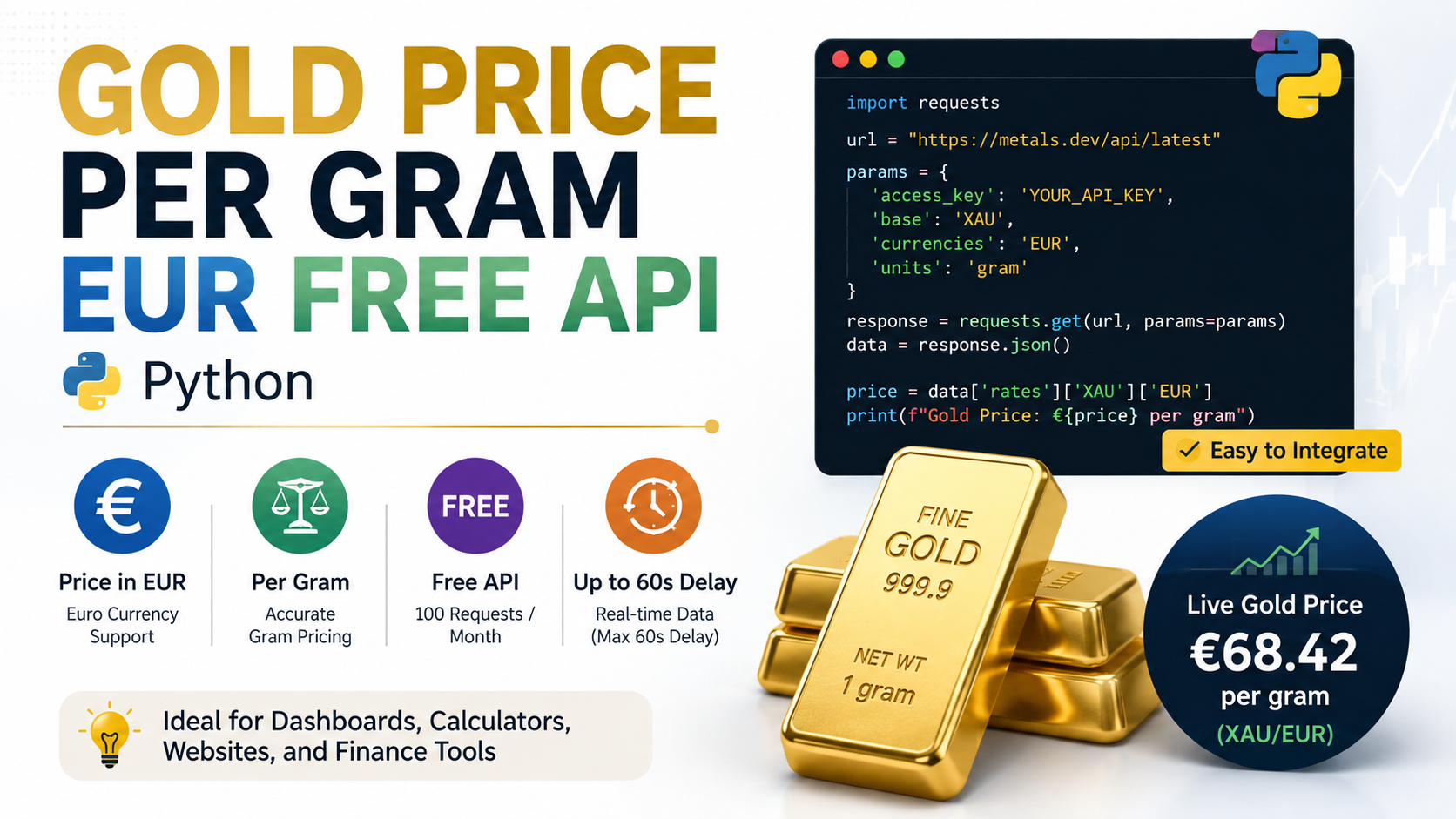
As of August 2026, several services offer free API tiers, but their limits are different. For a small Python project, Metals.Dev is particularly convenient because its documented free plan provides 100 requests per month, supports EUR as the currency, and supports grams as a unit. Its API documentation also provides Python examples and states that free-plan data can have a maximum delay of 60 seconds.
For applications that need only occasional price checks, this is enough for a dashboard, calculator, personal finance tool, learning project, or small website backend. The important part is understanding what the API is actually returning and how troy ounces, grams, currency conversion, and gold purity fit together.
What a Gold Price Per Gram EUR API Actually Does
A gold price API is a web service that lets your program request market data over HTTP and receive the result, normally as JSON.
For this particular use case, there are three separate concepts:
- Gold: usually represented by XAU in financial APIs.
- EUR: the currency in which the price is quoted.
- Gram: the unit in which you want the gold price expressed.
So a request for XAU in EUR per gram essentially asks:
“What is one gram of the gold represented by the API’s spot price worth in euros?”
This distinction matters because gold markets commonly quote prices per troy ounce, not per ordinary gram. The World Gold Council states that one troy ounce equals 31.1034768 grams.
That means a price such as €4,000 per troy ounce does not mean €4,000 per gram. The equivalent gram price would be roughly:
€4,000 ÷ 31.1034768 ≈ €128.60 per gramAn API that performs this unit conversion for you can save a small amount of code and, more importantly, reduce opportunities for unit mistakes.
The Easiest Free Option: Metals.Dev
For the exact combination of Python + gold + EUR + grams + free API access, Metals.Dev is one of the more straightforward choices currently available.
Its documentation says the API supports precious-metal spot prices, currency conversion, and unit conversion. The latest endpoint accepts a currency parameter and a unit parameter; the documentation specifically shows currency=EUR and unit=g as supported usage.
The current free plan provides:
| Feature | Metals.Dev free plan |
|---|---|
| Price data | Precious metals and currencies |
| Gold | Yes |
| Currency | EUR supported |
| Unit | Gram supported |
| Requests | 100 per month |
| Maximum stated delay | 60 seconds |
| Credit card required | No |
The service says that every API request consumes part of the monthly allowance.
For a personal project, 100 requests per month is workable. It is equivalent to an average of about 3 requests per day without exceeding the monthly allowance.
That is very different from making a request every few seconds.
How to Get a Free API Key
You need an account and an API key to authenticate requests.
Metals.Dev documents the API key as a required parameter and warns that it should not be shared.
The basic process is:
- Create an account with the API provider.
- Obtain your API key from the dashboard.
- Keep the key private.
- Put the key into your Python application’s configuration or environment variables.
- Make a request to the API.
- Read the returned JSON.
- Extract the gold price.
For a production application, do not put a private API key directly into browser-side JavaScript or public source code. A server-side application is a safer place to store credentials.
Python Example: Gold Price Per Gram in EUR
The simplest implementation uses the popular requests package.
Install it with:
pip install requestsThen:
import requests

API_KEY = "YOUR_API_KEY"

url = "https://api.metals.dev/v1/latest"

params = {
    "api_key": API_KEY,
    "currency": "EUR",
    "unit": "g",
}

response = requests.get(url, params=params, timeout=10)
response.raise_for_status()

data = response.json()

if data.get("status") != "success":
    raise RuntimeError(data)

gold_price_per_gram = data["metals"]["gold"]

print(f"Gold price: €{gold_price_per_gram:.2f} per gram")
The API documentation shows the latest endpoint, the currency and unit parameters, and a response structure containing a metals object with a gold value.
The requests library provides get(), JSON decoding through .json(), and raise_for_status() for HTTP error handling. Its documentation also points out an important detail: successfully decoding JSON does not necessarily mean the API request itself succeeded, which is why checking the API’s response status is useful.
A Better Python Version with API-Key Protection
Hard-coding the API key works for testing, but it is not a good habit.
Use an environment variable instead:
import os
import requests

API_KEY = os.environ["METALS_API_KEY"]

url = "https://api.metals.dev/v1/latest"

params = {
    "api_key": API_KEY,
    "currency": "EUR",
    "unit": "g",
}

response = requests.get(url, params=params, timeout=10)
response.raise_for_status()

data = response.json()

if data.get("status") != "success":
    raise RuntimeError(
        f"API error {data.get('error_code')}: "
        f"{data.get('error_message')}"
    )

price = data["metals"]["gold"]

print(f"€{price:.2f} per gram")
On Windows PowerShell, you could set the variable with:
$env:METALS_API_KEY="your_api_key_here"On Linux or macOS:
export METALS_API_KEY="your_api_key_here"This approach makes it much easier to keep secrets out of your Git repository.
Why the API Returns a Different Number Than Your Local Gold Dealer
One of the most important points for beginners is that an API’s spot price is not necessarily the amount you would pay for a physical gold coin or piece of jewelry.
A market API may provide a spot, bid, ask, or other market-derived value. A retailer can add a premium, manufacturing costs, shipping, taxes, dealer margin, or other charges.
Jewelry introduces another difference: purity.
The World Gold Council explains that 24-carat gold is pure gold, while 18-carat gold contains 75% gold.
So if your API returns a 24K-equivalent spot price, an 18K calculation can be approximated by:
18K gold value ≈ 24K gold value × 0.75For example, if your software receives a 24K theoretical value of €128 per gram:
€128 × 0.75 = €96That is a metal-content calculation, not a promise that a jewelry dealer will buy or sell an 18K item for exactly €96 per gram.
What Is XAU?
XAU is the standard financial code used for gold.
It behaves somewhat differently from a normal currency code. EUR means the euro, while XAU represents a specified quantity of gold.
You may therefore see pairs such as:
XAU/EUR
XAU/USD
XAU/GBP
The pair tells you the currency used to express the gold price.
For this article’s use case:
XAU/EURmeans gold priced in euros.
The API then adds the unit conversion so that you can work with:
EUR per gramrather than:
EUR per troy ounceWhat Is a Troy Ounce?
This is one of the easiest places to make a programming mistake.
A troy ounce is not the same as the ordinary ounce commonly used for everyday objects.
For precious metals:
1 troy ounce = 31.1034768 gramsThe World Gold Council and NIST both document this conversion.
Consequently, when an API reports:
EUR per troy ounceyou can convert it to:
EUR per gramwith:
price_per_gram = price_per_troy_ounce / 31.1034768This conversion is exact enough for normal application work because the conversion factor itself is defined to that precision.
How to Convert Gold Price to EUR Per Gram Yourself
You do not necessarily need an API that supports grams natively.
Suppose an API gives you:
XAU/EUR = €4,000 per troy ounceThen Python can calculate:
price_per_ounce = 4000
grams_per_troy_ounce = 31.1034768

price_per_gram = price_per_ounce / grams_per_troy_ounce

print(f"€{price_per_gram:.2f} per gram")
This produces approximately:
€128.60 per gramSo there are really two ways to solve the problem:
| Approach | How it works |
|---|---|
| Native gram API | Ask the API for EUR + g |
| Manual conversion | Retrieve EUR/troy-ounce price and divide by 31.1034768 |
The first approach is simpler. The second is useful when a free API does not provide gram units.
Use Decimal for Financial Calculations
Python’s normal float type is convenient, but applications involving money can benefit from Python’s built-in decimal.Decimal type.
Python’s documentation specifically notes that Decimal is useful for financial calculations because decimal representations can avoid the binary floating-point behavior associated with ordinary float values.
For a gold calculator, you could write:
from decimal import Decimal

price_per_ounce = Decimal("4000")
grams_per_troy_ounce = Decimal("31.1034768")

price_per_gram = price_per_ounce / grams_per_troy_ounce

print(price_per_gram.quantize(Decimal("0.01")))
Using a string such as "4000" when constructing the Decimal is preferable to first creating a binary floating-point value.
For a simple display widget, float may be perfectly adequate. For accounting, invoices, trading calculations, or precise monetary workflows, explicit decimal arithmetic is the safer design.
Can You Do This Without Installing requests?
Yes.
Python includes the standard-library urllib package for working with URLs, including urllib.request for opening web URLs. Python’s documentation describes it as a standard library facility for handling URLs and HTTP-related requests.
For example:
import json
import urllib.parse
import urllib.request

API_KEY = "YOUR_API_KEY"

params = urllib.parse.urlencode({
    "api_key": API_KEY,
    "currency": "EUR",
    "unit": "g",
})

url = f"https://api.metals.dev/v1/latest?{params}"

with urllib.request.urlopen(url, timeout=10) as response:
    data = json.load(response)

if data.get("status") != "success":
    raise RuntimeError(data)

print(f"€{data['metals']['gold']:.2f} per gram")
For beginners, requests is generally easier to read. The standard library approach becomes useful when you want to avoid an external dependency.
What Happens If the API Does Not Return Grams?
This is common with precious-metal APIs.
For example, MetalpriceAPI’s current documentation states that precious-metal rates are expressed in per troy ounce by default, while gram, kilogram, and carat responses are available on paid plans. Its free tier currently provides 100 requests per month with daily updates.
That does not make the service unusable. It simply means your Python application can perform the unit conversion itself.
A generic calculation looks like this:
from decimal import Decimal

TROY_OUNCE_IN_GRAMS = Decimal("31.1034768")

def gold_eur_per_gram(price_eur_per_troy_ounce):
    return (
        Decimal(str(price_eur_per_troy_ounce))
        / TROY_OUNCE_IN_GRAMS
    )
Then:
result = gold_eur_per_gram("4000")
print(f"€{result:.2f} per gram")
This makes your application independent of whether the provider supplies a dedicated gram field.
Another Option: GoldAPI.io
GoldAPI.io is another service worth knowing about for this exact problem.
Its current XAU/EUR documentation shows an API response containing:
price
bid
ask
price_gram_24k
price_gram_22k
price_gram_21k
...
The service therefore provides EUR gold pricing and gram-level values directly, rather than forcing you to perform the troy-ounce conversion yourself.
Its current free Sandbox plan is listed at 100 requests per month and includes XAU along with other precious metals, EUR among its supported currencies, and historical daily prices. The provider also lists a more frequent update interval for its sandbox offering, although plan behavior and data access should always be checked against the provider’s current terms before deploying an application.
A typical GoldAPI request uses a pattern like:
import requests

API_KEY = "YOUR_API_KEY"

url = "https://www.goldapi.io/api/XAU/EUR"

headers = {
    "x-access-token": API_KEY
}

response = requests.get(
    url,
    headers=headers,
    timeout=10
)

response.raise_for_status()

data = response.json()

print(f"€{data['price_gram_24k']:.2f} per gram")
The major advantage here is simplicity: the API response already contains the gram-price field.
Metals.Dev vs GoldAPI.io vs MetalpriceAPI
The three services have different strengths.
| Provider | Free allowance | EUR | Gram data | Free-data characteristics |
|---|---|---|---|---|
| Metals.Dev | 100 requests/month | Yes | Yes | Maximum 60-second delay stated for free plan |
| GoldAPI.io | 100 requests/month | Yes | Yes | XAU/EUR response includes gram fields |
| MetalpriceAPI | 100 requests/month | Yes | Paid plans for gram unit | Free plan is daily |
These figures reflect the providers’ currently published documentation and pricing pages as checked in August 2026.
For the specific search intent “gold price per gram EUR free API Python”, the most convenient choices are therefore Metals.Dev or GoldAPI.io, because both expose gram-level gold information while providing a free tier.
How Often Should Your Python App Call the API?
A common mistake is polling the endpoint too frequently.
With a 100-request monthly quota, a program that checks once every second would exhaust the allowance almost immediately.
Even checking every 10 minutes creates about:
6 requests/hour
144 requests/day
which is already far beyond a 100-request monthly allowance.
For a small application, a much better architecture is:
API
 ↓
Python backend
 ↓
Cache result
 ↓
Website / calculator / application
Your backend can update the price periodically and allow multiple users to read the cached value without making a new external API request for every visitor.
This is especially important when the provider’s free plan already delivers data with a stated delay of up to 60 seconds. Making dozens of requests during that interval usually provides little practical value.
Simple Caching Example
A lightweight cache can be implemented with a timestamp:
import time
import requests

CACHE_SECONDS = 60

_cached_price = None
_cached_at = 0

def get_gold_price():
    global _cached_price, _cached_at

    now = time.time()

    if _cached_price is not None and now - _cached_at < CACHE_SECONDS:
        return _cached_price

    response = requests.get(
        "https://api.metals.dev/v1/latest",
        params={
            "api_key": "YOUR_API_KEY",
            "currency": "EUR",
            "unit": "g",
        },
        timeout=10,
    )

    response.raise_for_status()

    data = response.json()

    if data.get("status") != "success":
        raise RuntimeError(data)

    _cached_price = data["metals"]["gold"]
    _cached_at = now

    return _cached_price


print(f"€{get_gold_price():.2f} per gram")
This example keeps the implementation intentionally simple. A production system might use Redis, a database, or another shared cache so several application servers can reuse the same market-data result.
How to Handle API Errors
A reliable application should not assume every request succeeds.
Metals.Dev documents several failure conditions, including:
- 1101: invalid API key
- 1203: monthly quota exceeded
- 2101: unsupported input parameter
- 2102: required input parameter missing
- 2103: unsupported currency
- 2104: invalid date format
The service returns a failure response containing an error code and message.
A simple error-handling pattern is:
if data.get("status") != "success":
    code = data.get("error_code", "unknown")
    message = data.get("error_message", "Unknown API error")
    raise RuntimeError(f"{code}: {message}")
This is much better than simply doing:
print(data["metals"]["gold"])because the latter assumes the API always returns the expected successful structure.
Why You Should Not Treat the API Number as a Retail Gold Price
This distinction is especially important for websites that display gold prices to consumers.
An API’s spot price can be useful as a reference value, but it is not automatically the final transaction price for:
- jewelry,
- coins,
- bars,
- scrap gold,
- dealer purchases,
- dealer sales.
The actual commercial price can differ because of purity, premiums, dealer margins, manufacturing costs, taxes, market spreads, and other factors.
For that reason, a consumer-facing application should label its output accurately, such as:
Estimated 24K gold spot value per gram
rather than simply:
Gold buying price
unless the application has a separate, verified pricing methodology.
Bid, Ask, and Spot: What Do They Mean?
Many gold APIs return several related values.
Spot price is the main reference price returned by the feed.
Bid is the price associated with the market’s buying side.
Ask is the price associated with the selling side.
The difference between bid and ask is called the spread.
GoldAPI.io’s XAU/EUR data, for example, exposes price, bid, and ask alongside the gram-price fields.
For a basic gold calculator, the spot-derived gram price may be all you need. A trading or market-monitoring application should decide explicitly whether it requires spot, bid, ask, or another benchmark.
Spot Price vs LBMA Benchmark
These terms are also easy to confuse.
A live market-data API may provide a continuously changing spot-related price, while the LBMA Gold Price is a benchmark reference published through the London Bullion Market Association’s benchmark process.
Metals.Dev, for example, documents both general spot data and separate authority metal rates, including LBMA-related fields.
That means you should choose the dataset according to the purpose of your application.
A live dashboard may want a current market feed.
A financial report may require a specific benchmark and timestamp.
A historical analysis may require a consistent historical source rather than whichever live quote happened to be available at the time.
A Practical Gold Calculator in Python
Once you have the API price, calculating the value of a quantity of gold is straightforward.
gold_price_per_gram = 128.50
weight_grams = 5

value = gold_price_per_gram * weight_grams

print(f"Gold value: €{value:.2f}")
For 5 grams:
€128.50 × 5 = €642.50For lower-purity gold, you can account for the approximate gold-content factor:
gold_price_24k = 128.50
weight_grams = 5
purity = 0.75  # 18K

gold_content_value = (
    gold_price_24k * weight_grams * purity
)

print(f"Estimated metal value: €{gold_content_value:.2f}")
The result is a theoretical gold-content value, not a guaranteed dealer quote.
A Production-Friendly Function
For repeated use, it is cleaner to wrap the API call in a function:
import os
import requests
from decimal import Decimal

API_URL = "https://api.metals.dev/v1/latest"


def get_gold_eur_per_gram() -> Decimal:
    api_key = os.environ["METALS_API_KEY"]

    response = requests.get(
        API_URL,
        params={
            "api_key": api_key,
            "currency": "EUR",
            "unit": "g",
        },
        timeout=10,
    )

    response.raise_for_status()

    data = response.json()

    if data.get("status") != "success":
        raise RuntimeError(
            f"{data.get('error_code')}: "
            f"{data.get('error_message')}"
        )

    return Decimal(str(data["metals"]["gold"]))


price = get_gold_eur_per_gram()

print(
    f"Gold spot value: "
    f"€{price.quantize(Decimal('0.01'))} per gram"
)
The combination of API validation, a timeout, environment-based credentials, and Decimal makes this considerably safer than a minimal one-line request.
A No-API-Key Alternative Is Not Necessarily Better
It may be tempting to search for an endpoint that requires no registration or authentication.
That can be useful for experimentation, but it introduces questions about:
Reliability: Will the endpoint remain available?
Accuracy: Where does its data come from?
Rate limits: Can you legally and technically make the number of requests your application requires?
Terms of use: Is commercial usage permitted?
Data freshness: Is the price live, delayed, or updated once per day?
A free API with a documented quota, authentication method, data source, and pricing policy is generally easier to build around than an undocumented endpoint simply because the latter does not require a key.
Important Detail: Free Does Not Mean Unlimited
This is perhaps the biggest practical limitation in the free-API approach.
Metals.Dev currently lists 100 requests per month for its free plan. GoldAPI.io also lists 100 requests per month for its Sandbox plan, while MetalpriceAPI lists 100 requests per month and daily updates on its free plan.
Therefore, a free API is a good fit for:
- learning Python API calls,
- personal projects,
- small calculators,
- prototypes,
- low-frequency dashboards.
It is not automatically suitable for a high-traffic commercial site where thousands of visitors need fresh values throughout the day.
At that point, the application needs a suitable paid plan, caching architecture, or another professionally licensed data source.
Common Mistakes When Building a Gold Price API Script
The most common problems are surprisingly simple.
Using 28 grams instead of 31.1034768
A regular ounce and a troy ounce are not interchangeable for precious metals. Gold pricing normally uses the troy ounce, which contains 31.1034768 grams.
Assuming EUR means per gram
XAU/EUR tells you the quotation currency. It does not, by itself, guarantee that the unit is grams.
Always check the API documentation for its unit convention.
Treating 18K gold as 100% gold
An 18K alloy contains about 75% gold, so it should not be treated as equivalent to 24K gold.
Ignoring the free-plan quota
A polling loop that runs every second can consume a monthly free quota extremely quickly.
Publishing the API key
An API key embedded in public frontend JavaScript should be considered exposed.
Using the spot price as a guaranteed buying or selling price
A spot-derived number is a reference value. It is not automatically a dealer’s final quote.
Which API Should You Choose?
For the search intent “gold price per gram EUR free API Python,” the choice is fairly straightforward.
Choose Metals.Dev when you want a simple API that explicitly supports both EUR and grams, has a documented free plan, and provides a conventional JSON response. Its documentation also includes Python request examples.
Choose GoldAPI.io when you want a response that already contains fields such as price_gram_24k and additional purity-level gram prices.
Choose MetalpriceAPI when its broader currency and metals functionality suits your application and you are comfortable converting troy-ounce values yourself on the free plan. Its current documentation specifically limits gram/kilogram unit responses to paid plans.
For a beginner building a small Python gold calculator, Metals.Dev is arguably the cleanest starting point because the API request directly expresses the desired currency and unit.
Frequently Asked Questions
Is there a free gold price API for Python?
Yes. Several providers offer free tiers. As of August 2026, Metals.Dev and GoldAPI.io both advertise free plans with 100 requests per month, while MetalpriceAPI also advertises a 100-request free tier. Their update frequency and unit features differ.
Can Python get the gold price directly in EUR per gram?
Yes. With Metals.Dev, the documented latest endpoint accepts currency=EUR and unit=g, so your application does not have to perform the troy-ounce-to-gram conversion itself.
What is the formula for gold price per gram?
When the API supplies the price in euros per troy ounce:
EUR per gram =
EUR per troy ounce ÷ 31.1034768
The conversion factor is documented by NIST and the World Gold Council.
Does XAU mean one gram of gold?
No. XAU represents gold in financial markets, while the API’s unit determines whether the resulting price is expressed per troy ounce, gram, kilogram, or another supported unit.
Is an API gold price the same as the price of a gold ring?
No. A market spot value and the retail price of jewelry are different things. Jewelry prices can include purity differences, manufacturing costs, dealer margins, taxes, and other charges.
Can I use a free API for a commercial website?
That depends on the provider’s terms and the specific plan. Do not assume that “free” means unrestricted commercial use. For example, MetalpriceAPI explicitly states that its free plan is for non-commercial use and requires attribution.
How many API requests can I make on the free Metals.Dev plan?
The current published limit is 100 requests per month.
Should I cache the gold price?
Yes. Caching is particularly useful when the API has a limited monthly quota. Instead of making a request for every visitor, your backend can retrieve the price periodically and serve the cached result.
Final Takeaway
For a Python application that needs a free gold price per gram API in EUR, you do not need a complicated financial-data system.
The essential workflow is:
Gold market data
      ↓
API
      ↓
XAU
      ↓
EUR
      ↓
grams
      ↓
Python
      ↓
your calculator / dashboard / website
The technically important details are the ones that are easiest to overlook: XAU is gold, precious-metal prices are commonly quoted per troy ounce, one troy ounce is 31.1034768 grams, 24K represents pure gold, and a spot price is not automatically a retail or dealer price.
For a small Python project today, Metals.Dev provides a particularly direct implementation because its documented API supports EUR and grams on its free tier, while GoldAPI.io is another strong option when you want gram and karat values already present in the response.
The safest implementation is therefore not simply “call an API and print a number.” It is retrieve the correct gold market value, verify the response, use the correct unit, protect the API key, respect the free quota, cache intelligently, and clearly explain what the displayed price represents.
Also Read: Daisy Seed JSON File for plugdata | Custom Hardware Mapping Explained

1 Comment
Pingback: JSON Syntax Square Brackets | What [ ] Mean in JSON