


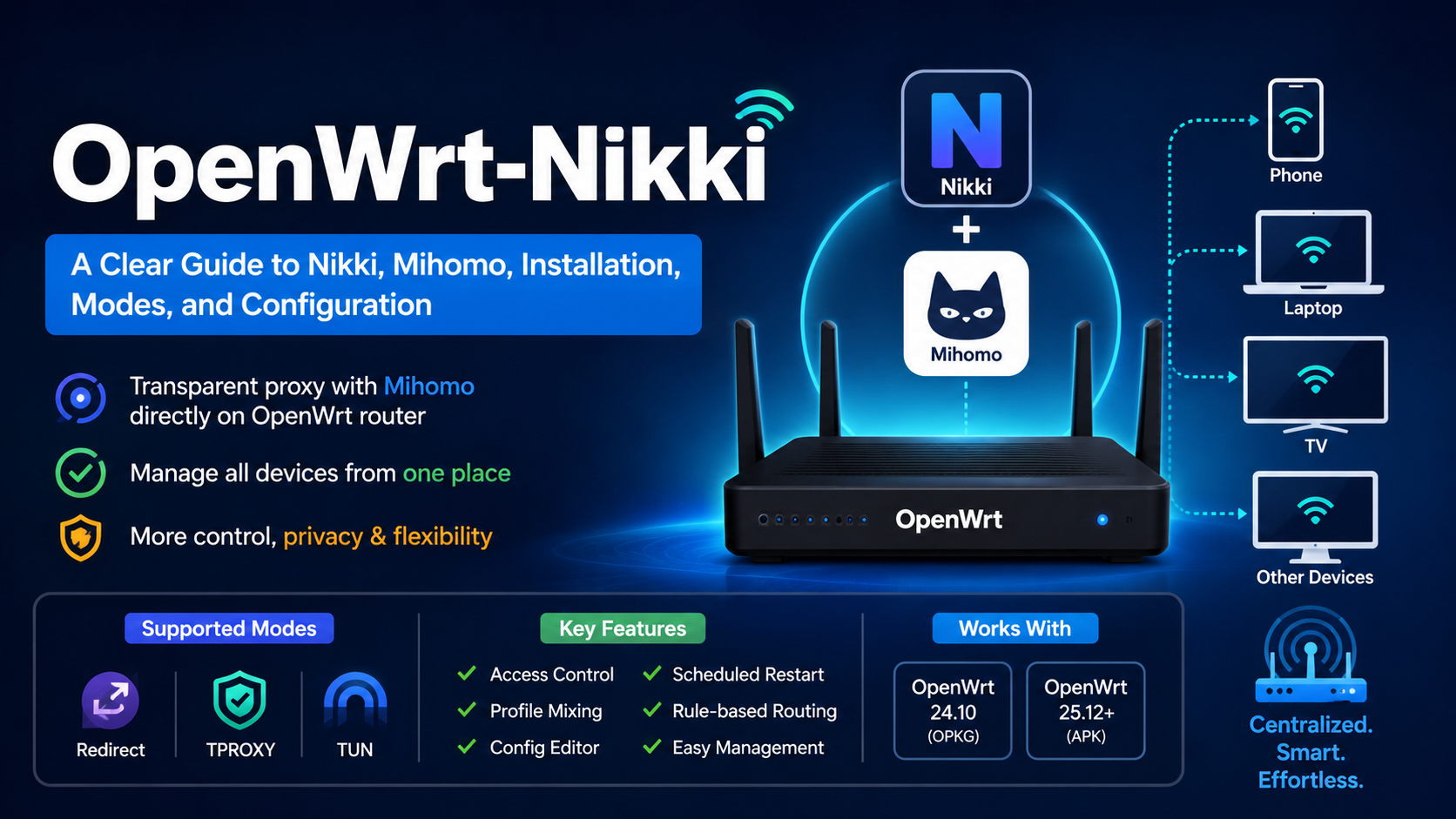
OpenWrt-Nikki, usually shortened to Nikki, is an OpenWrt plugin that uses the Mihomo proxy core to provide transparent proxying directly at the router level. Instead of configuring a proxy separately on every phone, computer, TV, or other device, Nikki can intercept selected traffic as it passes through the OpenWrt router and send it through Mihomo according to routing rules. The project describes itself as “Transparent Proxy with Mihomo on OpenWrt” and currently supports Redirect, TPROXY, and TUN modes, along with access control, profile mixing, a configuration editor, and scheduled restarts.
This makes Nikki particularly interesting for households, labs, mini-PC routers, and other OpenWrt installations where centralized traffic routing is more convenient than maintaining proxy settings on every client.
As of August 2026, the OpenWrt side has also changed significantly compared with older tutorials: OpenWrt 25.12.5 is the current stable release, while 24.10.8 is the old-stable series. OpenWrt 25.12 uses APK as its package manager, whereas OpenWrt 24.10 uses OPKG. Nikki’s installer explicitly contains branches for OpenWrt 24.10, 25.12, and snapshots, so the commands found in older Nikki guides should not automatically be assumed to apply to every OpenWrt version.
What Is OpenWrt-Nikki?
The easiest way to understand Nikki is to separate it into three pieces:
| Component | What it does |
|---|---|
| OpenWrt | Runs the router and manages interfaces, firewalling, routing, and packages |
| Nikki | Integrates Mihomo with OpenWrt and manages the transparent-proxy plumbing |
| Mihomo | Performs the actual proxy processing, DNS handling, rules, proxy groups, and connections |
Nikki therefore is not itself a proxy protocol or proxy server. It is the OpenWrt integration layer around Mihomo.
The project’s own startup logic shows this architecture clearly. Nikki can load and mix configuration, start Mihomo, configure IP rules and routes, and generate/apply firewall rules.
That distinction matters because many confusing installation guides treat “Nikki,” “Mihomo,” and the web interface as though they were the same thing.
They are not.
Nikki is the OpenWrt-side controller and integration. Mihomo is the network-processing core.
Why Use Nikki on OpenWrt?
The main attraction is centralized traffic management.
Imagine a home network with:
- two laptops,
- several phones,
- a smart TV,
- a game console,
- a NAS,
- and a few IoT devices.
Without router-level transparent proxying, each application or device may need its own proxy configuration, and some devices may not support proxies at all.
With Nikki, the OpenWrt router can intercept traffic from the LAN and decide what happens to it. A device can therefore behave like a normal network client while the router handles the proxying in the background.
This does not mean that every packet must use a proxy. Mihomo’s routing system can make decisions based on domains, IP addresses, rule providers, proxy groups, and other matching logic. Nikki also exposes access-control mechanisms that determine which clients or interfaces should be handled by the proxy system.
The practical advantage is simple:
Configure the router once instead of configuring every client separately.
How Nikki Actually Works
At a high level, the process looks like this:
Client device → OpenWrt → Nikki interception rules → Mihomo → selected direct/proxy route → Internet
Nikki’s project documentation describes a sequence in which it prepares or updates the profile, starts Mihomo, establishes routing rules and routes, and generates the required nftables configuration.
The exact mechanism depends on the selected transparent-proxy mode.
That is important because Redirect, TPROXY, and TUN do not do the same job in the same way.
Redirect, TPROXY, and TUN Explained
Redirect
Redirect is conceptually the simplest option.
The firewall redirects matching traffic to a local transparent-proxy port. Mihomo then receives the connection and decides how it should be handled.
The major limitation is that Mihomo’s documentation states that the redirect transparent proxy port can proxy TCP traffic only. That makes Redirect useful for specific TCP interception scenarios, but it is not a complete replacement for every transparent-proxy mechanism.
In other words:
Redirect = straightforward TCP interception, but limited compared with TPROXY or TUN.
TPROXY
TPROXY, or transparent proxying, is a Linux mechanism that allows a proxy application to receive traffic while retaining information about the original destination.
This is especially useful when you need transparent handling beyond ordinary TCP redirection.
Nikki supports TCP and UDP TPROXY, and its documentation exposes TCP and UDP mode independently.
TPROXY is powerful, but it depends on correct Linux routing policy, firewall rules, marks, and kernel support. Nikki handles much of that integration for the user, but the underlying networking is still more complex than a simple local proxy.
TUN
A TUN interface is a virtual network interface implemented in software.
Instead of simply redirecting one listener port, a TUN-based design can create a virtual interface through which traffic is captured and routed.
Mihomo’s documentation describes TUN as a method for capturing system traffic and supporting automatic routing, DNS hijacking, and per-application routing.
Nikki supports TUN mode and creates routing arrangements around it. Its current configuration and initialization code explicitly reference a TUN device, routing marks, routing tables, and TUN listener handling.
For many modern setups, TUN is the more flexible model, particularly when UDP handling and system-wide traffic capture matter.
Nikki’s Major Features
The project currently lists several important capabilities.
Transparent Proxy
Nikki can intercept traffic using Redirect, TPROXY, or TUN, with support for IPv4 and IPv6 depending on the configuration.
This is the feature most people install Nikki for.
Access Control
Access control determines which traffic should enter the proxy system.
The interface supports controls involving clients and network characteristics, including IP, IPv6, MAC address, and interfaces. It can also distinguish between router-originated traffic and LAN-originated traffic.
This makes it possible to avoid forcing every device through the same path.
For example, you might want a laptop to use the proxy while leaving a streaming device or local server untouched.
Profile Mixin
A mixin is a way to apply additional configuration around a base Mihomo profile rather than manually rewriting an entire configuration every time.
Nikki provides a graphical section for these mixin options and also supports editing configuration files.
This is particularly useful when a subscription or externally generated configuration needs small local changes.
Profile Editor
Nikki includes an editor for configuration files and related local files. Changes can be saved, and the interface supports applying changes by reloading or restarting the service.
Scheduled Restart and Log Management
Scheduled restarts are useful for users who want Mihomo restarted automatically on a schedule. Current Nikki releases also include scheduled log cleanup, added in v1.26.0.
The latest tagged Nikki release currently listed by the project is v1.26.0, released April 10, 2026.
Nikki Requirements and OpenWrt Compatibility
The official Nikki README lists these baseline requirements:
- OpenWrt 24.10 or newer
- Linux kernel 5.13 or newer
- firewall4
The installer is more specific about supported OpenWrt branches. It identifies:
- OpenWrt 24.10
- OpenWrt 25.12
- SNAPSHOT
and selects the corresponding Nikki package feed automatically.
That is important because Nikki should not be treated as a generic plugin for every OpenWrt firmware version.
OpenWrt’s current stable release is 25.12.5, while 24.10.8 is old-stable and scheduled to reach end of support in September 2026.
There is another important version difference: OpenWrt 24.10 uses OPKG, while OpenWrt 25.12 uses APK. OpenWrt’s package-management documentation currently identifies APK as the package manager for 25.12 and newer releases.
How to Install OpenWrt-Nikki
The official project recommends installing from its package feed.
Before doing anything else, check your OpenWrt version and architecture. This matters because Nikki publishes architecture-specific packages and its installer chooses a matching branch. The project currently builds for a broad range of architectures, including common ARM, AArch64, x86_64, MIPS, RISC-V, and LoongArch targets.
Recommended Feed Installation
The official README gives this feed bootstrap command:
wget -O - https://github.com/nikkinikki-org/OpenWrt-nikki/raw/refs/heads/main/feed.sh | ashThen install the packages appropriate to the package manager on your firmware.
For OpenWrt 24.10, which uses OPKG:
opkg install nikki
opkg install luci-app-nikki
opkg install luci-i18n-nikki-zh-cn
For OpenWrt 25.12, which uses APK:
apk add nikki
apk add luci-app-nikki
apk add luci-i18n-nikki-zh-cn
These package names and installation methods are documented by the Nikki project, while OpenWrt confirms the OPKG/APK split between the two stable series.
Nikki’s feed script also verifies that the system has firewall4 and selects the correct feed based on the detected OpenWrt release and architecture.
Why Older Installation Guides Can Be Misleading
Many tutorials found online were written when older OpenWrt releases were current.
A guide that says “use opkg” may be perfectly correct for OpenWrt 24.10 but wrong for OpenWrt 25.12.
Likewise, a tutorial written for an older Nikki release may reference older interface names or configuration behavior.
For that reason, the current project’s README and current OpenWrt documentation should take precedence over old blog posts and copied commands.
What You Need to Configure After Installation
Installing Nikki is only the beginning. The major work is deciding how traffic should be processed.
The configuration generally falls into several areas.
1. Profile or Subscription
Mihomo needs a configuration profile containing the proxy definitions, proxy groups, DNS behavior, routing rules, and other settings.
Nikki supports both locally stored configurations and subscription-based profiles.
A subscription is simply a remotely maintained configuration source. Nikki does not magically create your proxy service; it uses whatever valid Mihomo configuration you supply.
2. Mixin Configuration
Mixin settings allow Nikki to insert or override selected Mihomo options.
This is useful when you want to preserve a provider’s base configuration but change specific behavior locally.
For example, the current Nikki configuration includes options associated with:
- DNS,
- TUN,
- authentication,
- sniffing,
- fake IP behavior,
- listener settings,
- and other Mihomo features.
3. Proxy Mode
You then decide whether TCP and UDP traffic should use:
- Redirect
- TPROXY
- TUN
Nikki can choose these independently for TCP and UDP, so the configuration does not have to be identical for both protocols.
This matters because UDP and TCP behave differently at the networking layer.
4. DNS Handling
DNS is one of the most important parts of a transparent-proxy setup.
A device may connect to a domain name such as:
example.combut the actual network connection ultimately uses an IP address.
If DNS resolution happens outside your intended routing path, you can end up with DNS leakage, incorrect routing decisions, or inconsistent results between domains and IP addresses.
Mihomo supports both fake-ip and redir-host DNS modes. The current Mihomo documentation says redir-host is the default, while fake-ip uses a synthetic address range to represent queried domains.
Fake-IP in Simple Terms
With Fake-IP, Mihomo can return a synthetic address rather than the actual destination address.
For example, instead of returning the real address for:
example.comthe resolver may return an address from the configured fake-IP range.
Mihomo then uses that mapping internally to recover the original domain when traffic reaches the proxy layer.
This can make rule-based routing and DNS interception more powerful, but it also creates compatibility considerations for devices or applications that expect ordinary DNS behavior.
Redir-Host in Simple Terms
With Redir-Host, the DNS process returns the actual resolved address rather than creating a synthetic mapping.
This tends to be conceptually simpler, but the overall routing behavior depends more heavily on how the traffic is subsequently intercepted and classified.
Neither mode is universally “best.”
DNS mode should match the way your network, rules, applications, and proxy architecture are designed.
Why DNS Hijacking Matters
Nikki exposes IPv4 and IPv6 DNS-hijacking controls in its transparent-proxy configuration.
The idea is that a device may attempt to use its own DNS resolver rather than the router’s preferred resolver.
If the router transparently redirects DNS queries to the desired Mihomo DNS service, the proxy system has a much better chance of making routing decisions consistently.
However, DNS hijacking is not something to enable blindly.
Local domains, router services, split-DNS setups, VPNs, enterprise networks, and special devices can all behave differently. Nikki’s own configuration therefore includes explicit fake-IP filters and reserved address lists, reflecting the fact that not every address or domain should be processed identically.
Router Proxy vs LAN Proxy
One particularly useful Nikki feature is the distinction between router traffic and LAN traffic.
The router itself generates traffic: time synchronization, package downloads, DNS requests, update checks, monitoring, and other services.
LAN devices generate a separate class of traffic.
Nikki exposes controls for both:
- Router proxy
- LAN proxy
This means you can create a setup in which the router itself uses the proxy while certain LAN clients do not, or vice versa.
That level of control can be important in more complex networks.
Access Control: Choosing Which Devices Are Proxied
Transparent proxying does not necessarily mean “proxy everything.”
Nikki’s access-control functionality can be used to determine which clients participate.
The project’s interface documentation describes all, whitelist, and blacklist access-control approaches, together with controls based on IP, IPv6, MAC, or interface.
A practical example might look like this:
| Device | Desired behavior |
|---|---|
| Work laptop | Proxy |
| Personal phone | Proxy |
| Smart TV | Direct |
| NAS | Direct |
| IoT camera | Direct |
| Router system services | Selectively controlled |
That can significantly reduce troubleshooting because you do not have to make every device obey the same routing policy.
Mihomo Listeners and Proxy Ports
One area that causes confusion is the difference between transparent interception and ordinary proxy ports.
Mihomo can expose traditional proxy services such as:
- HTTP,
- SOCKS,
- Mixed,
as well as transparent mechanisms such as Redirect, TPROXY, and TUN.
A Mixed listener is especially convenient because it supports both HTTP(S) proxying and SOCKS5 on the same port.
But these listeners should not automatically be exposed to the Internet.
Mihomo’s documentation explicitly warns that HTTP, SOCKS, and Mixed listeners without TLS should not be exposed directly to the Internet.
A home router should therefore treat these ports as trusted-network services, protected by firewall rules and authentication where appropriate.
Nikki’s Current Architecture Uses OpenWrt’s Modern Firewall Stack
A major reason current Nikki requirements mention firewall4 is that modern OpenWrt uses the nftables-based firewall stack.
Nikki does not simply run Mihomo as an isolated process. It connects Mihomo to OpenWrt’s routing and firewall system.
Its current implementation contains logic for:
- firewall rules,
- routing marks,
- policy routing,
- separate routing tables,
- TUN and TPROXY handling,
- DNS hijacking,
- and traffic classification.
The source configuration also shows dedicated marks and routing tables for TPROXY and TUN traffic.
In simple language:
Mihomo decides what should happen to the traffic, while Nikki builds the OpenWrt networking machinery needed to get that traffic to Mihomo correctly.
That is one of Nikki’s most important roles.
Nikki vs OpenClash
Nikki and OpenClash can look similar to a new OpenWrt user because both can provide router-level proxy functionality.
The underlying architecture, however, is different.
| Area | Nikki | OpenClash |
|---|---|---|
| Core focus | Mihomo | Clash-family integration, historically broader core choices |
| OpenWrt integration | Purpose-built around Mihomo | Mature OpenWrt proxy-management ecosystem |
| Transparent modes | Redirect / TPROXY / TUN | Depends on core and configuration |
| Access control | Built into Nikki | Available through OpenClash configuration |
| Profile editing | Included | Included |
| Mixin support | Included | Configuration-dependent |
| Main advantage | Focused Mihomo/OpenWrt integration | Large and established OpenWrt proxy ecosystem |
This is not a declaration that Nikki is universally superior.
The better choice depends on which core you use, how your rules are structured, how much configuration control you need, and which ecosystem you are already familiar with.
For someone specifically building around modern Mihomo, Nikki’s focused architecture can be appealing.
Nikki vs a Normal Client-Side Proxy
The biggest practical difference is where the proxy is configured.
With a normal client proxy:
Laptop → Proxy configuration → Proxy server
With Nikki:
Laptop → OpenWrt router → Nikki/Mihomo → Direct or proxy route
That difference becomes extremely valuable for devices that do not expose a usable proxy setting.
A television, game console, embedded device, or IoT product may not give the user any practical way to configure SOCKS or HTTP proxy settings.
A router-level transparent proxy can handle the traffic before the application ever needs to understand that a proxy exists.
Potential Advantages of OpenWrt-Nikki
Nikki’s strongest advantages are architectural rather than cosmetic.
Centralized management means one router can enforce policies for many devices.
Transparent interception means clients do not necessarily need per-device proxy configuration.
Mihomo compatibility gives access to Mihomo’s routing, proxy-group, DNS, rule, and listener capabilities.
TUN, TPROXY, and Redirect support provides multiple ways to capture traffic depending on the network requirements.
Access control allows administrators to decide which clients should participate.
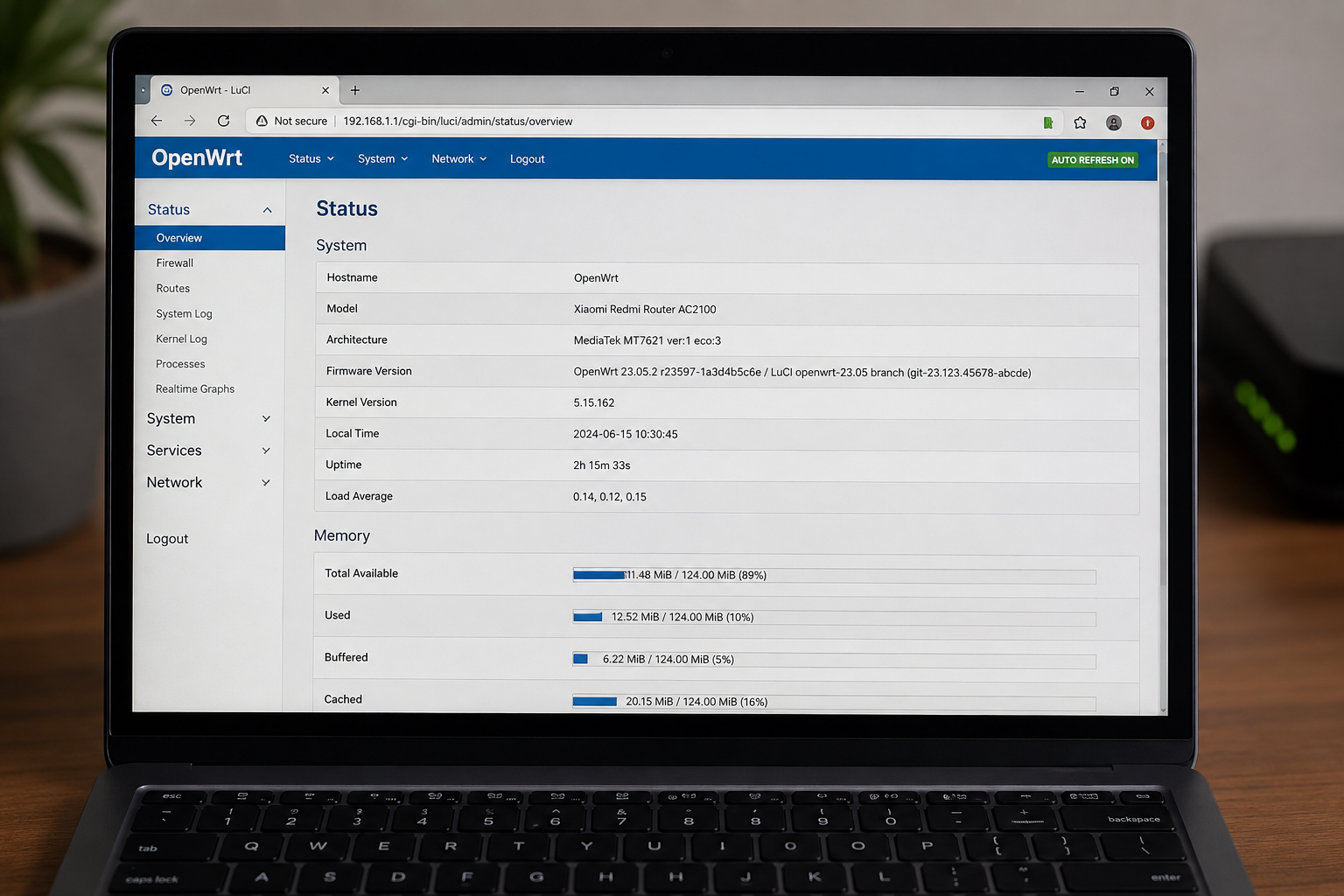
LuCI integration makes routine management considerably easier than maintaining every configuration manually over SSH.
Potential Disadvantages and Limitations
Nikki is powerful, but it is not a “one-click Internet accelerator.”
The underlying networking is complicated, and transparent proxying can interact with:
- DNS,
- IPv6,
- policy routing,
- firewall rules,
- local networks,
- Docker,
- VPN software,
- multicast,
- application-specific traffic,
- and other routing services.
The Nikki project itself contains compatibility handling for situations such as Docker and br_netfilter, which demonstrates that the router networking environment can affect how transparent proxying works.
There is also an ongoing maintenance consideration: Mihomo evolves independently of OpenWrt and Nikki.
A valid configuration for one version may require adjustment after an upstream change.
That is why blindly importing an old YAML file or copying a two-year-old tutorial is risky.
Security Considerations
Nikki does not automatically make a router secure merely because traffic passes through a proxy.
There are several separate security questions.
Protect the Management Interface
The Mihomo API and any web dashboard should be treated as administrative interfaces.
Do not expose an unauthenticated management service to the public Internet.
Protect Proxy Listeners
Mihomo explicitly warns against exposing HTTP, SOCKS, and Mixed listeners without TLS directly to the Internet.
For a typical home network, those services should be accessible only from trusted interfaces.
Review Subscriptions
A subscription is not inherently trustworthy simply because the YAML file loads successfully.
It can contain routing and proxy definitions that affect how traffic moves through your network.
Always understand where configuration data comes from before installing it.
Do Not Disable Checks Without Understanding Them
Nikki has configuration checks and startup validation mechanisms for a reason. Disabling safety or compatibility mechanisms without understanding the effect can turn a configuration problem into a harder-to-debug routing failure.
Common Nikki Problems and What They Usually Mean
Nikki installs but will not start
First verify the basic environment:
- OpenWrt release,
- architecture,
- firewall4 availability,
- package dependencies,
- Mihomo profile validity.
The official requirements explicitly include OpenWrt 24.10+, kernel 5.13+, and firewall4.
The panel opens but traffic is not proxied
This usually indicates that the web interface itself is working but the interception path is not.
Check whether:
- Nikki is enabled.
- Mihomo is actually running.
- A valid profile is loaded.
- Transparent proxying is enabled.
- The selected TCP/UDP mode matches your design.
- LAN or router access control permits the traffic.
- DNS interception is configured appropriately.
- The OpenWrt firewall and routing rules were applied successfully.
Nikki’s interface provides separate status, proxy, and log areas specifically because these are different layers of the system.
Some websites work while others do not
This often points to DNS, routing rules, IPv6, UDP, or application-specific behavior, rather than necessarily meaning that the proxy core is completely broken.
Check whether the failing application uses:
- IPv6,
- QUIC/HTTP3,
- UDP,
- a different DNS path,
- or a domain not matched by the expected rules.
Mihomo supports DNS processing modes and protocol sniffing, while Nikki exposes the corresponding integration settings.
UDP works differently from TCP
That is expected.
TCP Redirect and UDP interception are not interchangeable.
Nikki’s current interface explicitly allows different TCP and UDP transparent-proxy modes, with TCP supporting Redirect, TPROXY, and TUN, while UDP supports TPROXY and TUN.
The configuration is valid, but startup still fails
A syntactically valid YAML file does not guarantee that the complete networking arrangement will work.
The profile must also be compatible with the Mihomo version, the listeners selected by Nikki, the operating system’s routing behavior, and the configured firewall rules.
Recent Nikki issue reports also show that specific combinations of OpenWrt, Nikki, Mihomo, and YAML features can produce startup or DNS/firewall-related bugs.
The safest troubleshooting method is therefore layer-by-layer diagnosis, rather than repeatedly changing unrelated settings.
How to Troubleshoot Nikki Systematically
When something fails, check the stack in this order:
1. OpenWrt
Confirm the device is supported and the firmware is the expected release.
2. Package
Check that Nikki and its LuCI application are installed correctly.
3. Service
Confirm the Nikki service is running.
4. Core
Confirm Mihomo starts and accepts the selected profile.
5. Transparent mode
Check the configured TCP/UDP interception mode.
6. Routing
Check policy routes, marks, and the virtual TUN interface if TUN is selected.
7. DNS
Check whether DNS queries are actually reaching the intended resolver.
8. Access control
Confirm the affected client is not being excluded.
9. Mihomo rules
Only after the lower layers work should you investigate whether a domain or IP is being sent to the wrong rule or proxy group.
This approach is much faster than treating every failed website as a “Nikki problem.”
What Is New in Recent Nikki Releases?
The current Nikki project has continued evolving through 2026.
The latest tagged release listed by the project is v1.26.0, which added scheduled log cleanup, supplied a default UI path to address certain 404 situations, and corrected access-control behavior related to DNS hijacking and proxy switching.
Earlier v1.25 releases added or refined several capabilities, including:
- support for OpenWrt 25.12 builds,
- listener-based inbounds,
- HTTPS panel/API support,
- improved Fake-IP6 behavior,
- additional DNS mixin options,
- and additional proxy configuration controls.
This is important because Nikki is an actively maintained project rather than a frozen OpenWrt plugin.
At the same time, the latest Mihomo documentation and releases continue to evolve independently. The current Mihomo release page lists v1.19.28 as a recent stable version and continues to publish alpha builds.
Should You Use OpenWrt 24.10 or 25.12 for Nikki?
For a new installation, OpenWrt 25.12 is the current stable series, with 25.12.5 being the latest stable release as of this article’s research date.
That does not automatically mean every existing router should be upgraded immediately.
OpenWrt 24.10 remains supported for a limited period, and Nikki provides dedicated packages for both branches. However, OpenWrt 24.10 is scheduled to reach end of support in September 2026, which makes the newer 25.12 series the more relevant long-term starting point for a new deployment, assuming the router hardware and other required packages are compatible.
One especially important difference is package management:
| OpenWrt series | Package manager |
|---|---|
| 24.10.x | OPKG |
| 25.12.x | APK |
Anyone following an older Nikki tutorial should check this before copying installation commands.
Is Nikki Suitable for Beginners?
The answer depends on what “beginner” means.
If you mean someone who has never used OpenWrt, Linux networking, DNS, routing, or proxy rules, Nikki will have a substantial learning curve.
If you already know basic OpenWrt administration and understand the difference between DNS, TCP, UDP, routing, and a proxy server, Nikki becomes much easier to manage.
The graphical interface hides a large amount of complexity, but it does not eliminate the complexity itself.
A useful mindset is:
Nikki makes advanced proxy networking easier to operate; it does not make advanced proxy networking simple.
Frequently Asked Questions
What is OpenWrt-Nikki?
Nikki is an OpenWrt plugin for transparent proxying with the Mihomo core. It integrates Mihomo with OpenWrt’s firewall, routing, access-control, profile, and LuCI-management systems.
Is Nikki the same as Mihomo?
No. Mihomo is the proxy core. Nikki is the OpenWrt integration and management layer that configures the system around that core.
Does Nikki require Mihomo?
Yes. The project is specifically designed around Mihomo as its proxy core.
Does Nikki support TUN mode?
Yes. Current Nikki documentation supports TUN, as well as Redirect and TPROXY modes.
Can Nikki proxy UDP?
Yes. Nikki supports UDP interception through TPROXY or TUN. UDP does not work the same way as TCP Redirect.
Does Nikki work with IPv6?
Yes. The project lists IPv4 and IPv6 support for transparent proxying, and its configuration exposes separate IPv4/IPv6 proxy and DNS-hijacking controls. Actual behavior still depends on your Mihomo profile and network configuration.
Does Nikki work on OpenWrt 25.12?
Yes. The current installer explicitly supports the OpenWrt 25.12 branch, and the project has dedicated 25.12 builds.
Should I use opkg or apk?
Use OPKG on OpenWrt 24.10 and APK on OpenWrt 25.12. OpenWrt made APK the standard package manager starting with the 25.12 stable series.
Is Nikki better than OpenClash?
Not universally. Nikki is particularly attractive for people who want a focused Mihomo/OpenWrt integration, while OpenClash has a long-established ecosystem and different configuration patterns. The correct choice depends on the core, rules, hardware, and workflow you prefer.
Can I expose Nikki’s proxy port to the Internet?
That is generally a bad idea unless you deliberately design and secure such a service. Mihomo’s documentation warns that HTTP, SOCKS, and Mixed listeners without TLS should not be exposed directly to the Internet.
Final Verdict
OpenWrt-Nikki is best understood as a bridge between OpenWrt’s networking system and the Mihomo proxy core. Its value is not simply that it provides another proxy interface; its real strength is the ability to combine Mihomo’s routing and DNS capabilities with OpenWrt’s firewall, policy routing, client access control, and router-wide traffic interception.
For technically capable OpenWrt users, that creates a powerful architecture: one router can centrally control how traffic from an entire network is resolved, classified, intercepted, and forwarded.
The most important thing to remember is that Nikki is a layered system. OpenWrt, firewall4, Linux routing, Nikki, Mihomo, DNS, proxy rules, and client access control all have to cooperate. Once those layers are understood, the project becomes far less mysterious—and far easier to troubleshoot.
For a new deployment in 2026, the sensible baseline is to use a supported OpenWrt release, preferably the current 25.12 series, install the matching Nikki build from the official feed, verify the Mihomo profile before enabling transparent interception, and configure DNS and access control deliberately rather than copying an old configuration wholesale.
Also Read: MVSEP: Complete Guide to AI Music and Voice Separation

1 Comment
Pingback: Drone Flight Log Database Fields Telemetry Battery Swap Geotagged Images